
Surface Area of a Cuboid: Animated Net Folding with Adjustable Dimensions
Loading the math board and drawing, please wait…
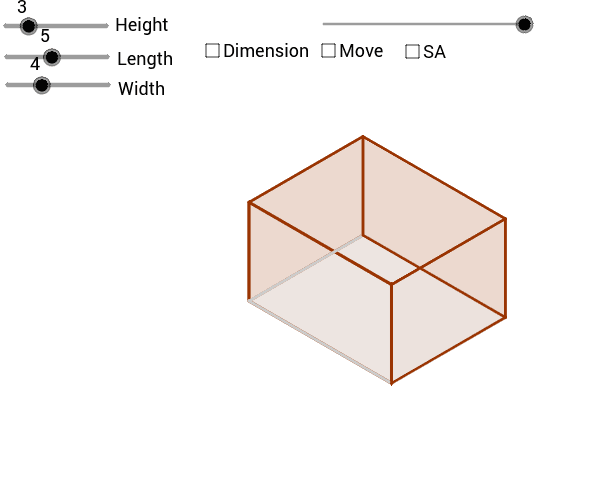
This GeoGebra example demonstrates an animated cuboid folding from its planar net into a three-dimensional solid, with adjustable length, width, and height dimensions that update the surface area in real time. The core mathematical concepts involve solid geometry, surface area formulas for rectangular prisms, polygon area summation, vector operations, and midpoint construction. The construction relies on GeoGebra commands Vector, Polygon, If, Midpoint, and Area, together with objects such as PA, nHeight, nLength, PB_2, PTP, nWidth, PB_3, PTP_1, PSB, and dist to manage folding animation, conditional visibility, and area computation. It is suitable for middle school and high school mathematics instruction, serving as a classroom demonstration or student-centered exploration tool for deriving and applying cuboid surface area formulas.
GeoGebra Commands & Parameters
Vector(PTP_1, PB_3) → tpsbVector(PTPF_1, PTP_1) → tpf1Vector(PTP, PB_2) → tpa1Vector(PTPF, PTP) → tpfVector(PBK, PB) → bk1Vector(PBK_1, PB_1) → bk11Vector(PFT_1, PB_3) → ftb13Vector(PFT, PB_2) → fta1Vector(PSB_1, PB_3) → sbb13Vector(PSB, PB_1) → sbbVector(PSF_1, PB_2) → sfa1Vector(PSF, PB) → sfbPolygon(SF_3, SF, SF_1, SF_2) → aSideFront, a, b, c, dIf(dist < 100, PTPF + (dist * Length[tpf] / 100; Angle[tpf]), PTP + ((dist - 100) * Length[tpa1] / 100; Angle[tpa1])) → TP_3If(dist < 100, PTPF_1 + (dist * Length[tpf1] / 100; Angle[tpf1]), PTP_1 + ((dist - 100) * Length[tpsb] / 100; Angle[tpsb])) → TP_2Polygon(TP_3, TP_2, TP_1, TP) → aTop, a_1, b_1, c_1, d_1Polygon(BK_3, BK_2, BK_1, BK) → aBack, a_2, b_2, c_2, d_2Polygon(BT, BT_1, BT_2, BT_3) → aBottom, a_3, b_3, c_3, d_3Polygon(SB, SB_1, SB_2, SB_3) → aSideBack, a_4, b_4, c_4, d_4Polygon(FT, FT_1, FT_2, FT_3) → aFront, a_5, b_5, c_5, d_5Midpoint(b_1) → HXtsMidpoint(d_2) → HXbsMidpoint(c_5) → HXfsArea(BK_3, BK_2, BK_1, BK) → bb