
Area of a Regular Polygon
Loading the math board and drawing, please wait…
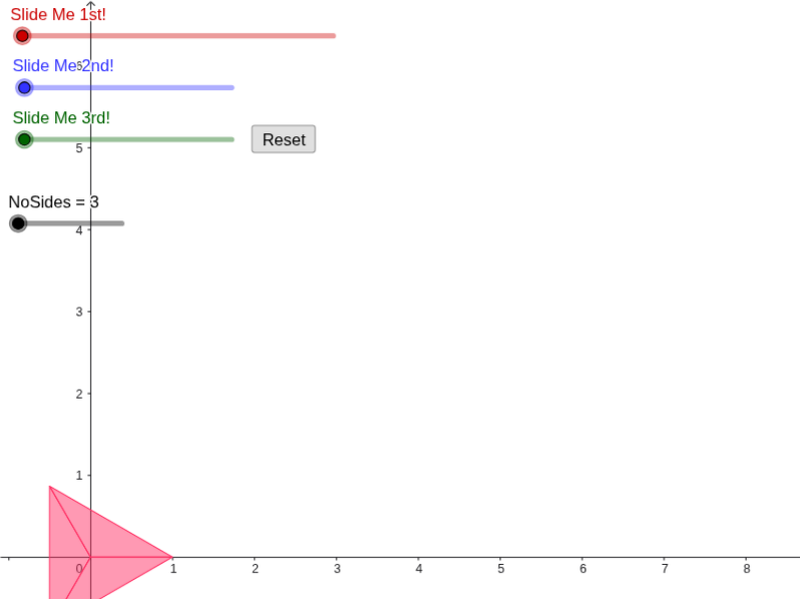
This example demonstrates how to calculate the area of a regular polygon by dividing it into smaller triangles and using vector operations, rotations, and similarity transformations. Key math concepts include properties of regular polygons, vector operations, rotations, similarity transformations, and trigonometric functions. GeoGebra commands and objects used in the construction include Sequence, Distance, Center, Rotate, Polygon, Vector, Segment, Intersect, Dilate, Translate, and Vertex. It is suitable for high school students learning about area calculation methods for regular polygons and for geometry construction teaching.
GeoGebra Commands & Parameters
Sequence((cos(((k * π) * β / 180)), sin(((k * π) * β / 180))), k, 0, NoSides, 1) → list1Distance(Element[list1, 1], Element[list1, 2]) → hCenter(c) → ASequence(Polygon[Element[list1, k], A, Element[list1, k + 1]], k, 1, NoSides, 1) → list2Sequence(Vertex[Element[list2, k], 3], k, 2, NoSides, 1) → list4Sequence(Vertex[Element[list2, k], 3], k, 1, NoSides - 1) → list5Rotate(A, (((-b) * 360) * ° / NoSides), B_1) → A'Sequence(Rotate[Element[list1, k], ((((-(k - 1)) * b) * 360) * ° / NoSides), Element[list1, k - 1]], k, 2, NoSides, 1) → list3Sequence(Rotate[Element[list3, k], ((((-(k - 1)) * b) * 360) * ° / NoSides), Element[list3, k - 1]], k, 2, NoSides - 1, 1) → list6Polygon(Element[list1, 1], A', Element[list3, 1]) → poly1, d, e, a'Vector(Element[list1, 2], Element[list3, 1]) → uSequence(Vector[Element[list1, k], Element[list3, k - 1]], k, 2, NoSides, 1) → list7Segment((0, -1), (6.283185307179586, -1)) → fIntersect(c, d, 1) → DSegment(D, C) → iDilate(D, If[0 < g ≤ 1, 1 - g, 0], C) → D'Vector(D, D') → vTranslate(list1, v) → list1'Translate(c, v) → c'Translate(list2, v) → list2'Rotate(Element[list2', 1], (((-g) * 360 / NoSides))°, Element[list1', 1]) → poly2Vertex(Element[list2', 2], 1) → EVertex(poly2, 3) → FVector(Vertex[Element[list2', 2], 1], Vertex[poly2, 3]) → wTranslate(Element[list2', 2], w) → poly3Rotate(poly3, ((((-g) * 2) * 360 / NoSides))°, F) → poly3'Vertex(poly3', 3) → GVector(Vertex[Element[list2', 3], 1], Vertex[poly3', 3]) → jTranslate(Element[list2', 3], j) → poly4Rotate(poly4, ((((-g) * 3) * 360 / NoSides))°, G) → poly4'Vertex(poly4', 3) → HVector(Element[list1', 4], H) → kTranslate(Element[list2', 4], k) → poly5Rotate(poly5, ((((-g) * 4) * 360 / NoSides))°, H) → poly5'Vertex(poly5', 3) → IVector(Element[list1', 5], I) → lTranslate(Element[list2', 5], l) → poly6Rotate(poly6, ((((-g) * 5) * 360 / NoSides))°, I) → poly6'Vertex(poly6', 3) → JVector(Element[list1', 6], J) → mTranslate(Element[list2', 6], m) → poly7Rotate(poly7, ((((-g) * 6) * 360 / NoSides))°, J) → poly7'Rotate(poly7, ((((-g) * 6) * 360 / NoSides))°, J) → poly7'_1Vertex(poly7'_1, 3) → KVector(Element[list1', 7], K) → nTranslate(Element[list2', 7], n) → poly8Rotate(poly8, ((((-g) * 7) * 360 / NoSides))°, K) → poly8'Vertex(poly8', 3) → LVector(Element[list1', 8], L) → pTranslate(Element[list2', 8], p) → poly9Rotate(poly9, ((((-g) * 8) * 360 / NoSides))°, L) → poly9'Vertex(poly9', 3) → MVector(Element[list1', 9], M) → qTranslate(Element[list2', 9], q) → poly10Vertex(poly2, 2) → BVertex(poly3', 2) → NVertex(poly4', 2) → OVertex(poly5', 2) → PVertex(poly6', 2) → QVertex(poly7'_1, 2) → RVertex(poly8', 2) → SVertex(poly9', 2) → TRotate(poly2, (((-o) * 180))°, B) → poly2'Rotate(poly3', (((-o) * 180))°, N) → poly3''Rotate(poly4', (((-o) * 180))°, O) → poly4''Rotate(poly5', (((-o) * 180))°, P) → poly5''Rotate(poly6', (((-o) * 180))°, Q) → poly6''Rotate(poly7'_1, (((-o) * 180))°, R) → poly11Rotate(poly8', (((-o) * 180))°, S) → poly8''Rotate(poly9', (((-o) * 180))°, T) → poly9''Dilate(B, 1 - r, C) → B'Dilate(N, 1 - r, F) → N'Dilate(O, 1 - r, G) → O'Dilate(P, 1 - r, H) → P'Dilate(Q, 1 - r, I) → Q'Dilate(R, 1 - r, J) → R'Dilate(S, 1 - r, K) → S'Dilate(T, 1 - r, L) → T'Vector(N, N') → sVector(B, B') → tVector(O, O') → u_1Vector(P, P') → v_1Vector(Q, Q') → w_1Vector(R, R') → a_1Vector(S, S') → b_1Vector(T, T') → c_1Translate(poly2', t) → poly2''Translate(poly3'', s) → poly3'''Translate(poly4'', u_1) → poly4'''Translate(poly5'', v_1) → poly5'''Translate(poly6'', w_1) → poly6'''Translate(poly11, a_1) → poly11'Translate(poly8'', b_1) → poly8'''Translate(poly9'', c_1) → poly9'''
AI Drawing Prompt Reference
Draw a regular polygon and divide it into several triangles to calculate its area using rotations and similarity transformations. Start by creating a circle c with center A and radius 1, then generate a list of vertices list1 for the regular polygon. Calculate the side length h, and construct the center A' and triangle list2. Gradually build each part of the polygon through rotations and similarity transformations, and finally obtain the area of the regular polygon.
The prompt above was compiled from the original drawing commands and is for reference only.