
Supplementary Angles Exploration
Loading the math board and drawing, please wait…
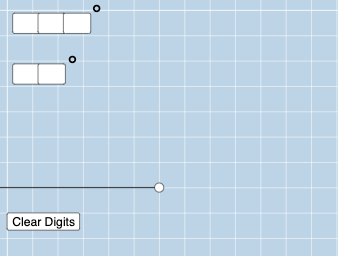
This example demonstrates the concept of supplementary angles. Key mathematical concepts include angle measurement and the properties of supplementary angles. Using GeoGebra commands such as Rotate, Angle, and Line, the formation of supplementary angles can be dynamically illustrated. Suitable for middle school and above students to learn geometry.
GeoGebra Commands & Parameters
Textfield(a) → a1Textfield(b) → a2Textfield(c) → a3Textfield(d) → a4Textfield(e) → a5Textfield(f) → a6Textfield(g) → a7Textfield(h) → a8Textfield(i) → a9Rotate(C, ((-o) * π / 180), D) → C'Ray(D, C) → qRay(D, C') → rRotate(C', ((-((10 * h) + i)) * π / 180), D) → C''Ray(D, C'') → sAngle(C', D, C) → γAngle(C', D, C'') → δMode(l1) → l2If(Length[l2] ≟ 0, "No digits repeat!", "Repeated digits exist.") → text1Line(G, r) → h_1Line(G, s) → i_1Point(h_1) → HRotate(H, ((-((10 * h) + i)) * π / 180), G) → H'Angle(H', G, H) → ζRay(G, H') → j_1Ray(G, H) → k_1
AI Drawing Prompt Reference
Draw two supplementary angles, angle C and angle C', with C' obtained by rotating C counterclockwise. Then draw angle C' and angle C'', with C'' obtained by rotating C' counterclockwise. Next, draw the line between C' and C'', and the line of symmetry for C'. Then draw the symmetric point H of C' with respect to C, and the symmetric point H' of H with respect to C'. Finally, draw the line of symmetry for H' with respect to C'.
The prompt above was compiled from the original drawing commands and is for reference only.