
Stick Activity Examples
Loading the math board and drawing, please wait…
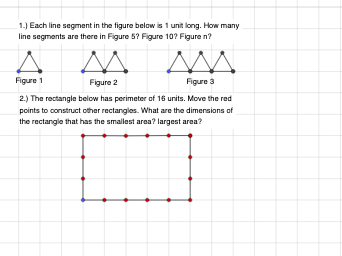
This example demonstrates stick activities, illustrating concepts such as area, perimeter, intersection, and reflection. Using GeoGebra commands like HorizontalTwoPoints and SixtyCTwoPoints, dynamic geometric figures can be constructed. Suitable for middle school and above students to learn geometric transformations and basic mathematical concepts.
GeoGebra Commands & Parameters
HorizontalTwoPoints(A) → f, BSixtyCTwoPoints(A) → j, FSixtyCTwoPoint(F) → n, JRotatable(D_1) → m_1, E_1Rotatable(E_1) → n_1, F_1Rotatable(F_1) → p_1, G_1Rotatable(G_1) → q_1, H_1Rotatable(H_1) → r_1, I_1Rotatable(D_1) → s_1, J_1Rotatable(J_1) → t_1, K_1Rotatable(I_1) → a_1, L_1Rotatable(K_1) → b_1, M_1Rotatable(M_1) → c_1, N_1Rotatable(N_1) → d_1, O_1Rotatable(O_1) → e_1, P_1Rotatable(P_1) → f_2, Q_1Rotatable(Q_1) → g_2, R_1Rotatable(L_1) → h_2, S_1Rotatable(S_1) → i_2, T_1HorizontalTwoPoints(C) → g, DHorizontalTwoPoints(D) → h, ESixtyCTwoPoints(C) → i, GSixtyCTwoPoint(G) → l, ISixtyCTwoPoints(D) → m, KSixtyCTwoPoint(K) → k, HHorizontalTwoPoints(L) → p, MHorizontalTwoPoints(M) → q, NHorizontalTwoPoints(N) → r, OSixtyCTwoPoints(L) → s, PSixtyCTwoPoints(M) → t, QSixtyCTwoPoints(N) → a, RSixtyCTwoPoint(P) → b, SSixtyCTwoPoint(Q) → c, TSixtyCTwoPoint(R) → d, U
AI Drawing Prompt Reference
In the plane, choose two horizontal baseline endpoints to serve as starting points. From the first endpoint, draw a horizontal segment as the main base stick, then build a chain of connected stick segments by repeatedly rotating the next segment’s endpoint around the appropriate pivot to keep a consistent step and direction, creating a linked, joint-like polygonal skeleton. Continue the construction so each new stick is attached to the previous one at the endpoint, forming a continuous polyline/multi-segment framework. Perform the same idea from the other pair of horizontal baseline endpoints using the same rotational rule (including the sixty-degree direction) so the figure shows two matching, connected stick activities with corresponding relationships between their endpoints.
The prompt above was compiled from the original drawing commands and is for reference only.