
Square Cross Section by Alex Sarria
Loading the math board and drawing, please wait…
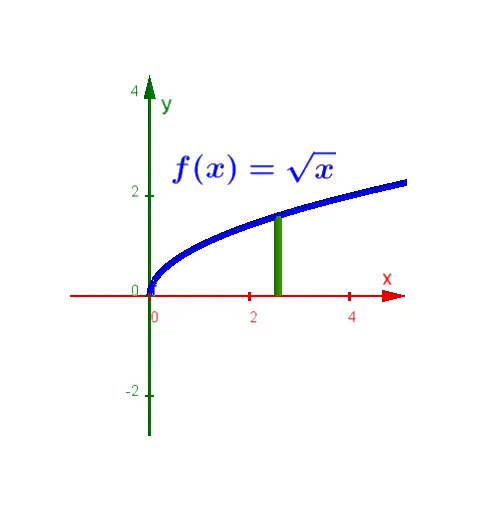
This example demonstrates the cross section of a square. Key mathematical concepts include geometry, solid geometry, and vectors. Using GeoGebra commands such as Polygon and Sequence, the cross section of a square can be constructed. Suitable for high school or university geometry and solid geometry courses.
GeoGebra Commands & Parameters
Polygon((X, f(X), 0), (X, f(X), f(X) - g(X)), (X, g(X), f(X) - g(X)), (X, g(X), 0)) → poly1, a, b, c, dSequence(Polygon[(((k * X)) / n, f(((k * X)) / n), 0), (((k * X)) / n, f(((k * X)) / n), f(((k * X)) / n) - g(((k * X)) / n)), (((k * X)) / n, g(((k * X)) / n), f(((k * X)) / n) - g(((k * X)) / n)), (((k * X)) / n, g(((k * X)) / n), 0)], k, 1, n) → list1Sequence(CircumcircleArc[((k * X / n), f((k * X / n)), 0), ((k * X / n), (f((k * X / n)) + g((k * X / n))) / 2, (f((k * X / n)) - g((k * X / n))) / 2), ((k * X / n), g((k * X / n)), 0)], k, 1, n) → list3Sequence(Polygon[((k * X / n), f((k * X / n)), 0), ((k * X / n), (f((k * X / n)) + g(((k * X)) / n)) / 2, (sqrt(3) * (f((k * X / n)) - g((k * X / n))) / 2)), ((k * X / n), g((k * X / n)), 0)], k, 1, n) → list2
AI Drawing Prompt Reference
Draw a square cross-section using concepts of geometry, solid geometry, and vectors. First, draw the base of the square. Then, adjust the height and vectors to construct the square cross-section. Finally, use the sequence command to draw a series of polygons, forming the details of the cross-section.
The prompt above was compiled from the original drawing commands and is for reference only.