
Volume Disk Method with Hole
Loading the math board and drawing, please wait…
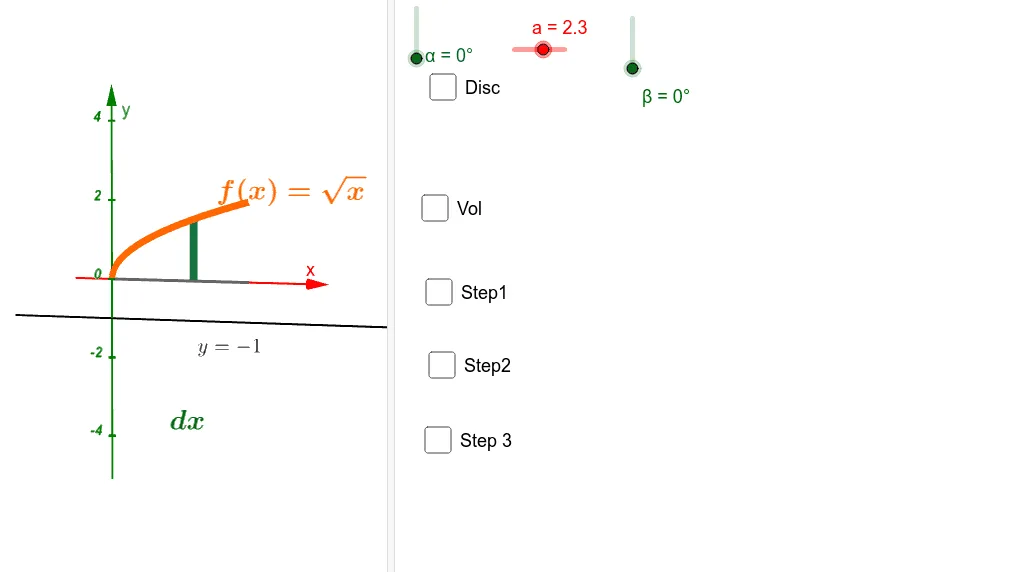
This example demonstrates the calculation of the volume of a solid of revolution with a hole using the disk method in calculus. It involves core concepts such as integral calculus, volume of solids of revolution, and geometric transformations of function graphs. The construction utilizes GeoGebra commands like Polygon, Rotate, LowerSum, and Surface to visualize and compute the volume. Suitable for high school students and above learning integral applications in calculus.
GeoGebra Commands & Parameters
Polygon(A, B, C, D) → polígono1, a_2, b_1, d, c_1Rotate(polígono1, α, p) → polígono1'LowerSum(f, a, b, n) → cSurface(f, β, xAxis) → a_1Surface(m, ((f(m) - r) * cos(t)) + r, ((f(m) - r) * sin(t)), m, 0, 4, t, 0, β) → mSurface(m, ((q(m) - r) * cos(t)) + r, ((q(m) - r) * sin(t)), m, 0, 4, t, 0, β) → o
AI Drawing Prompt Reference
Draw the volume of a solid of revolution with a hole using the disk method. First, draw a quadrilateral and then rotate it around an axis to form a solid. Next, calculate the volume of this solid using integration. Finally, use rotation and surface drawing to illustrate the volume calculation process of the solid with a hole.
The prompt above was compiled from the original drawing commands and is for reference only.