
Solid Disk Method with Hole
Loading the math board and drawing, please wait…
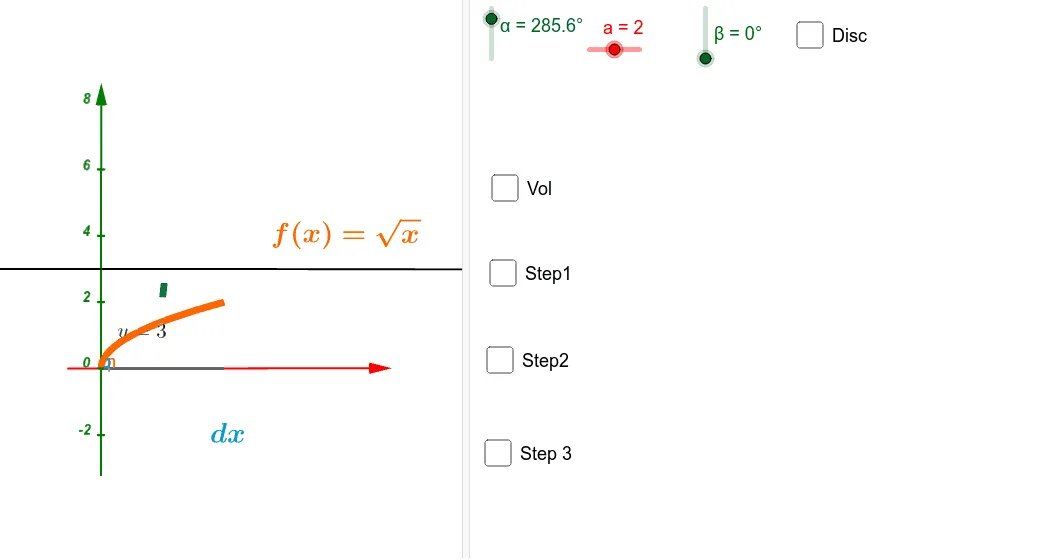
This example demonstrates the calculation of the volume of a solid disk with a hole using the disk method in calculus. It involves core concepts like integration, differential calculus, volume computation, and polynomial functions. The construction utilizes GeoGebra commands such as Polygon, Rotate, LowerSum, and Surface. Ideal for university calculus courses or mathematical modeling education.
GeoGebra Commands & Parameters
Polygon(A, B, C, D) → polígono1, a_2, b_1, d, c_1Rotate(polígono1, α, p) → polígono1'LowerSum(f, a, b, n) → cSurface(f, β, xAxis) → a_1Surface(m, ((f(m) - r) * cos(t)) + r, ((f(m) - r) * sin(t)), m, 0, 4, t, 0, β) → mSurface(m, ((q(m) - r) * cos(t)) + r, ((q(m) - r) * sin(t)), m, 0, 4, t, 0, β) → o
AI Drawing Prompt Reference
Create a 3D solid figure illustrating the volume of a disk with a hole using the disk method. Start with a quadrilateral base defined by four points, then rotate it around an axis by an angle to form the solid's framework. Use a lower sum to approximate the area under a curve over an interval, and generate a surface of revolution around the x-axis to represent the outer boundary. Additionally, revolve two distinct function curves around the x-axis to create nested surfaces, one forming an inner hole and the other an outer shell, together enclosing the volume. The result is a visual model for calculus volume computation.
The prompt above was compiled from the original drawing commands and is for reference only.