
Spirolateral with 90° Turns Construction
Loading the math board and drawing, please wait…
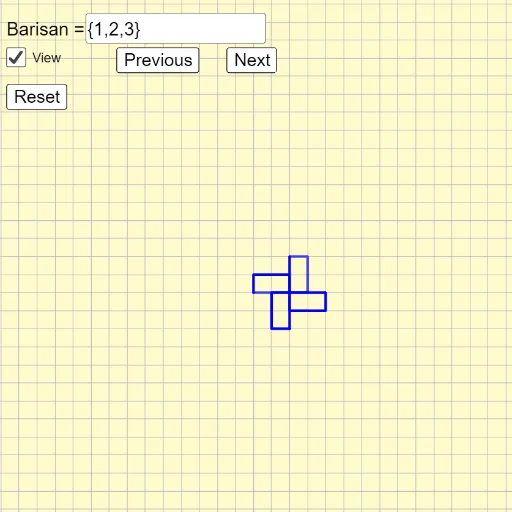
This example demonstrates the construction of a spirolateral, a polygonal spiral formed by connecting equal-length segments with a fixed 90° turn angle, where the sequence of segment lengths can be varied to produce diverse spiral patterns. Core mathematical concepts include sequences and series, modular arithmetic (Mod), vectors, and polyline construction, along with the role of the 90° angle in determining the path's direction. Construction highlights: using GeoGebra's Textfield (InputBox1) for parameter input, Sequence to generate the length list, Mod to compute turn directions, Vector for unit direction vectors, Intersect for finding vertices, Length for measuring segments, Union to merge paths, PolyLine to draw the polyline, and buttons (button1/2/3) to control iteration steps or reset. Suitable for high school to early college students exploring number-driven geometric patterns, and useful for introductory programming-based geometric construction.
GeoGebra Commands & Parameters
Textfield(nl) → InputBox1Intersect(xAxis, yAxis) → ALength(l1) → aVector((1, 0)) → uSequence(Vector[(Element[l1, i] * Rotate[u, ((i - 1) * ((-π)) / 2)])], i, 1, a) → l2Sequence(A + Sum[l2, i], i, 1, a) → l3Union({(0, 0)}, l3) → l4PolyLine(l4) → fVector(Element[l4, a + 1]) → vMod(a, 4) → bSequence(Rotate[f, (Mod[(i * a), 4] * ((-π)) / 2)], i, 1, c) → l5Sequence(Vector[Rotate[v, (((-π) * i) * b / 2)]], i, 0, c - 1) → l6Sequence(Vector[Sum[l6, i]], i, 1, c) → l7Sequence(Translate[Element[l5, i], Vector[Element[l7, i]]], i, 1, c) → l8
AI Drawing Prompt Reference
Draw a spiral polygon made of equal-length segments, with each segment turning 90 degrees. Start at the origin, draw the first segment to the right, then rotate counterclockwise by 90 degrees for each subsequent segment, repeating until the specified number of segments is reached. The shape is a polyline that forms a square spiral expanding outward, with rotational symmetry. The number of segments can be adjusted to change the complexity of the spiral.
The prompt above was compiled from the original drawing commands and is for reference only.