
Similarity & Art: Dynamic Construction with Sequences, Polygons, and Incircles
Loading the math board and drawing, please wait…
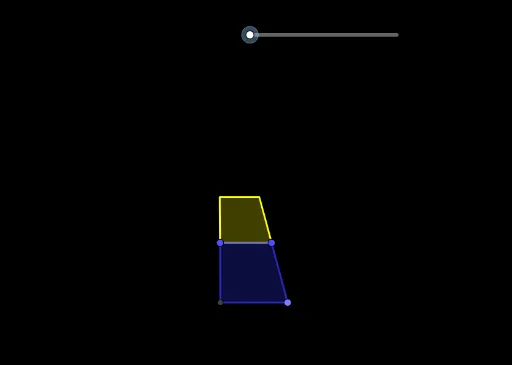
This GeoGebra example demonstrates an artistic geometric construction that combines similarity transformations, sequences, and incircles. It shows how to generate a series of similar figures (triangles or polygons) through scaling, rotation, and translation, using the Sequence command to create repetitive patterns with aesthetic appeal. The core mathematical concepts include similarity, proportion, incircle (inscribed circle), and sequences/series iteration. The construction employs GeoGebra commands such as Intersect, Point, Polygon, Sequence, Append, Union, Length, Max, and Min, with objects labeled A, B, C, D, q1, a, b, c, d, l1, α, n, l2-l8, e, f, g, h, i to build complex geometric relationships. This example is suitable for high school or college students exploring the intersection of geometry, sequences, and art, and can serve as a cross-disciplinary teaching resource for mathematics and design, illustrating how iterative similarity transformations generate intricate patterns.
GeoGebra Commands & Parameters
Intersect(xAxis, yAxis) → APoint(xAxis) → BPolygon(A, B, C, D) → q1, a, b, c, dSequence(Dilate[l1, (c / a)^(i)], i, 1, n) → l2Sequence(Rotate[Element[l2, i], (α * i)], i, 1, n) → l3Append(Vector[A, D], Sequence[Vector[Element[Element[l3, i], 1], Element[Element[l3, i], 4]], i, 1, n - 1]) → l4Sequence(Vector[Sum[l4, i]], i, 1, n) → l5Sequence(Translate[Element[l3, i], Vector[Element[l5, i]]], i, 1, n) → l6Sequence(Polygon[Element[l6, i]], i, 1, n) → l7Union({l1}, l6) → l8Length(l8) → eMax(Sequence[Max[Sequence[x(Element[Element[l8, i], j]), j, 1, 4]], i, 1, e]) → fMin(Sequence[Min[Sequence[x(Element[Element[l8, i], j]), j, 1, 4]], i, 1, e]) → gMax(Sequence[Max[Sequence[y(Element[Element[l8, i], j]), j, 1, 4]], i, 1, e]) → hMin(Sequence[Min[Sequence[y(Element[Element[l8, i], j]), j, 1, 4]], i, 1, e]) → i