
Solving Two-Step Equations with Randomized Problems and Points
Loading the math board and drawing, please wait…
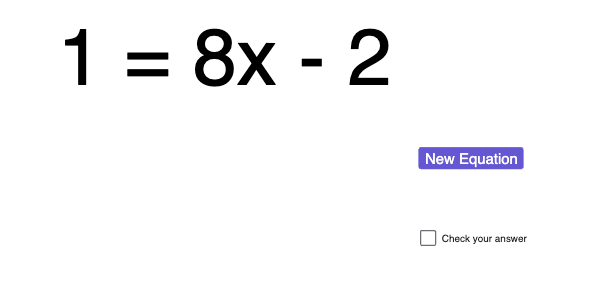
This GeoGebra example demonstrates how to solve two-step one-variable equations by generating a randomized polynomial/problem, computing the solution, and visually marking special points on the plane. It focuses on the algebraic process behind two-step transformations (the add/subtract step followed by the multiply/divide step), the meaning of a solution to an equation, and the idea that the solution is determined uniquely by the linear equation structure. Construction-wise, it uses RandomPolynomial and Random to create the function f and parameters (like a), then applies Solve to compute the equation’s solution and creates Point objects (such as A and B) to display key locations. Text labels (text1, text2, text3) annotate given values and results, while auxiliary geometric elements (e.g., l1, b, c) organize the visualization. A button (button1) enables rerunning the random experiment for repeated practice. Suitable for middle and early high school algebra lessons, classroom demos, and interactive drill on equation solving.
GeoGebra Commands & Parameters
RandomPolynomial(1, -9, 9) → fRandom(-9, 9) → aSolve(f(x) = a) → l1Point(yAxis) → APoint(yAxis) → BRandom(0, 1) → b
AI Drawing Prompt Reference
Create an interactive coordinate-plane graphic for solving a one-variable two-step equation. Randomly generate a linear function and also randomly choose a constant value to serve as the equation’s right-hand side. Determine the solution to that equation and use it to establish the main marked locations. Include two points that are defined on the same vertical axis to represent key positions related to the solution display. Add an additional randomized parameter used as part of the equation setup. Construct in the order: generate the function and parameter, solve for the solution, then place the two vertical-axis points as visual markers, with a control to rerun the random setup for repeated practice.
The prompt above was compiled from the original drawing commands and is for reference only.