
Solving Systems of Linear Equations Geometrically
Loading the math board and drawing, please wait…
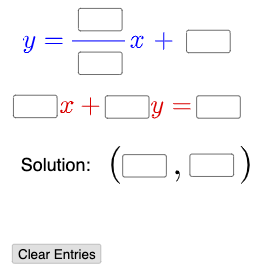
This example demonstrates solving systems of linear equations geometrically. Key mathematical concepts include linear equations, linear functions, and coordinate geometry. Using GeoGebra commands such as Textfield, Mode, and If, the example constructs the graphical representation of linear equations and allows for parameter adjustment to observe changes in solutions. Suitable for middle school and above students studying linear algebra and coordinate geometry.
GeoGebra Commands & Parameters
Textfield(a) → InputBox1Textfield(b) → InputBox2Textfield(c) → InputBox3Textfield(d) → InputBox4Textfield(e) → InputBox5Textfield(f) → InputBox6Textfield(g) → InputBox7Textfield(h) → InputBox8Textfield(i) → InputBox9Textfield(j) → InputBox10Mode(l1) → l2If(Length[l2] ≟ 0, "No digits repeat.", "Some digits repeat.") → text4
AI Drawing Prompt Reference
Draw two lines with slopes and intercepts determined by user inputs, and mark their intersection point in the coordinate system. Display different text prompts based on whether the input digits repeat. First draw the lines, then mark the intersection point and text prompts, finally adjust the text content based on the length of the input digits.
The prompt above was compiled from the original drawing commands and is for reference only.