
Solving 1-Step Addition Equations
Loading the math board and drawing, please wait…
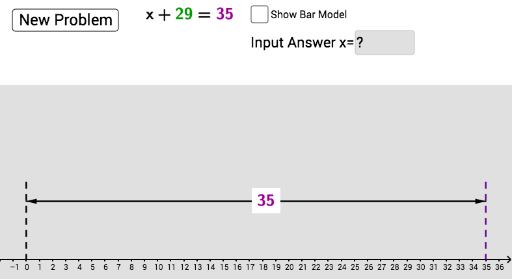
This example demonstrates solving one-step addition equations using GeoGebra. Key mathematical concepts include solving one-step equations. Commands used include Random, Intersect, Polygon, Midpoint, Max, Min, Sequence, Segment, Vector, Textfield, If. Suitable for middle school mathematics education.
GeoGebra Commands & Parameters
Random(0, 50) → aIntersect(f, xAxis) → AIntersect(h, xAxis) → BIntersect(g, xAxis) → CPolygon(D, E, H, G) → poly1, d, e, h_1, g_1Polygon(E, F, I, H) → poly2, e_1, f_1, i, h_2Midpoint(d) → JMidpoint(h_1) → KMidpoint(K, J) → LMax(2, b + 2) → xMaxMin(-2, b - 2) → xMinSequence(Segment[E + (n * (1, 0)), H + (n * (1, 0))], n, 1, a, 1) → list1Segment(E, B) → cSegment(F, C) → kMidpoint(c) → MMidpoint(k) → NSegment(D, A) → lMidpoint(l) → PMidpoint(P, M) → QMidpoint(R, G) → TMidpoint(S, I) → UMidpoint(T, U) → VPolygon(W, A_1, B_1, Z) → poly3, w_1, a_1, b_1, z_1Midpoint(P, A) → C_1Midpoint(P, D) → D_1Midpoint(M, B) → F_1Midpoint(N, C) → G_1Midpoint(N, F) → H_1Midpoint(D_1, H_1) → E_1Vector(C_1, F_1) → wVector(G_1, F_1) → uMidpoint(C_1, F_1) → OVector(D_1, H_1) → mVector(H_1, D_1) → nTextfield(j) → InputBox1If(j ≟ b - a, "Correct!", If[j ≟ b + a ∨ j ≟ (-(b - a)), "Check your sign/operation", "Incorrect..."]) → text1