
Smallest Possible Value?
Loading the math board and drawing, please wait…
In collections
Open Middle: Distance in the Coordinate Plane (3)
This example demonstrates how to find the smallest possible value through geometric construction. Key mathematical concepts include ratios, cones, and complex numbers. Using GeoGebra commands such as PointIn, Segment, and SurdText, complex geometric shapes can be constructed. Suitable for high school mathematics education and learning, particularly in the areas of coordinate geometry and complex numbers.
GeoGebra Commands & Parameters
PointIn(e) → APointIn(e) → BSegment(A, B) → fSurdText(f) → text1Textfield(j) → InputBox1Textfield(k) → InputBox2Point(Circle[A, sqrt((100 * j) + (10 * k) + o)]) → CSegment(A, C) → lIf(m < i, "Too short!", m > i, "Too long!", "This value is correct!") → text7Mode(l1) → l2Intersect(eq1, p) → DPolygon(A, D, B) → t1, b_1, a_1, d_1Segment(A, D) → qSegment(D, B) → rAngle(B, D, A) → αTextfield(o) → InputBox3If(Length[l2] ≟ 0, "AV's of all digits are different.", "AV's of some digits repeat.") → text8
AI Drawing Prompt Reference
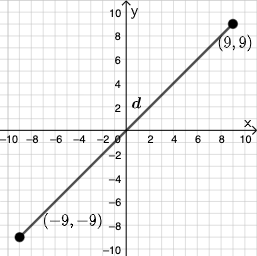
Create a geometry construction diagram to explore the “smallest possible value.” Start by placing two points and drawing the base segment between them, along with a length-related text label. Define a point on a circle whose radius is the square root of a linear expression in three input parameters, then draw the segments from the first point to this new point. Use given constraint expressions to form an intersection point, then connect it with the original two endpoints to form a triangular/polygon region. Mark a key angle at the intersection and add on-figure text that reports conditional feedback based on the relevant segment length and the repetition condition for digits, together with input boxes for the parameters.
The prompt above was compiled from the original drawing commands and is for reference only.