
3D Vectors & Complex Numbers Interactive Demo
Loading the math board and drawing, please wait…
In collections
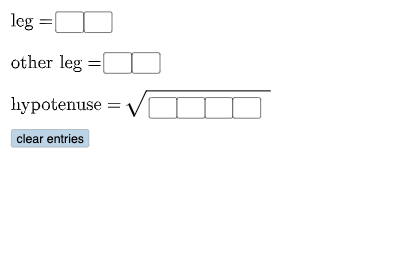
Open Middle: Pythagorean Theorem (3)
This example demonstrates vector operations and complex number geometric representations in 3D space through interactive graphics; Core math concepts include 3D vectors, complex numbers, geometric transformations, and centroid calculation of cubes; GeoGebra commands/objects used: Textfield, Polygon, Segment, Angle, Circle, Point, Mirror, Intersect, Mode, If; Suitable for high school and above learners to understand the application of spatial vectors and complex numbers in geometry.
GeoGebra Commands & Parameters
Textfield(a) → InputBox1Textfield(b) → InputBox2Textfield(c) → InputBox3Textfield(d) → InputBox4Textfield(f) → InputBox5Polygon(A, B, C) → t1, c_1, a_1, b_1Segment(C, B) → h_{1}Segment(B, A) → i_{1}Segment(A, C) → jAngle(C, B, A) → αCircle(D, (10 * a) + b) → ePoint(e) → ECircle(E, c) → kSegment(D, E) → lMirror(E, l) → E'Mirror(D, l) → D'Mirror(E, l) → E'_{1}Mirror(D, l) → D'_{1}Circle(D, sqrt((100 * d) + (10 * f) + g_{1})) → qIntersect(k, q, 2) → FSegment(D, F) → mSegment(F, E) → nAngle(F, E, D) → βTextfield(h) → InputBox8Textfield(g) → InputBox6Textfield(i) → InputBox7Circle(D, (10 * a) + b) → pPoint(p) → HSegment(D, H) → rCircle(H, (10 * c) + d) → sIntersect(p, s, 1) → ICircle(D, sqrt((1000 * f) + (100 * g) + (10 * h) + i)) → d_1Intersect(s, d_1, 2) → JSegment(H, J) → f_1Segment(D, J) → tAngle(J, H, D) → γPolygon(D, H, J) → t2, j_1, d_2, h_2Mode(l2) → l1If(Length[l1] ≟ 0, "No digits repeat.", "You have repeated digits.") → text4
AI Drawing Prompt Reference
Create an interactive 3D geometry-style diagram using several adjustable numeric inputs. First draw a triangle from three points and include its three sides, along with an angle mark determined by two sides meeting at a vertex. Using one vertex as the center, draw a circle whose radius is defined by a linear expression of the inputs; add another circle derived from a second radius expression. Compute intersection points of these circles, place points at the intersections, and connect them with segments to form key edges while marking another angle at the appropriate triple of points. Then mirror some of the intersection-defined points across a selected segment to obtain corresponding reflected points, draw circles centered at those reflected points, intersect them with the original circle(s), and finally connect the resulting points into a closed polygon. Add a text message that reflects a condition based on whether any digits repeat in the given parameters.
The prompt above was compiled from the original drawing commands and is for reference only.