
Slides, Flips and Spins in Translations: Reflection Practice
Loading the math board and drawing, please wait…
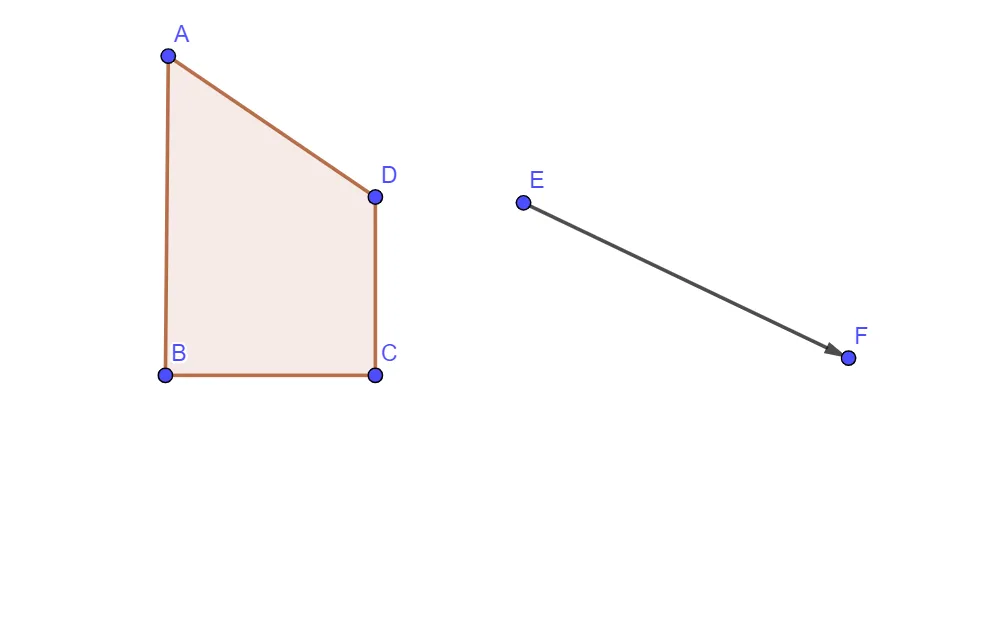
This GeoGebra example uses a dynamic setup to demonstrate how a shape transforms under translations alongside “flips and spins,” emphasizing correspondence between original and transformed figures. The key mathematics includes geometric transformations (notably reflection in the workflow) and translation, preservation of distances/relative structure, and representing movement via vectors. Construction highlights: it employs Polygon to create the base polygon (with vertices such as A, B, C, D) and uses Vector to define the translation/transform directions and magnitudes; additional points/labels (e.g., q1, a, b, c, d, E, F, u) are used to track the transformed configuration and compare it with the original. Suitable for middle and high school geometry lessons, interactive classroom demonstrations, and student practice on transformation concepts.
GeoGebra Commands & Parameters
Polygon(A, B, C, D) → q1, a, b, c, dVector(E, F) → u
AI Drawing Prompt Reference
Draw a base quadrilateral polygon in the plane using four corner points to represent the original shape. Then mark a translation direction and displacement using a single vector defined by its tail and head. Use that translation vector to place a corresponding transformed copy of the polygon, tracking the correspondence between the original vertices and the moved vertices (as in a reflection/flip/spin style correspondence practice). Keep both the original and the transformed polygons visible in the same view so the geometric correspondence and structure preservation under translation are easy to compare.
The prompt above was compiled from the original drawing commands and is for reference only.