
Slides, Flips and Spins: Practice Rotations with Polygons
Loading the math board and drawing, please wait…
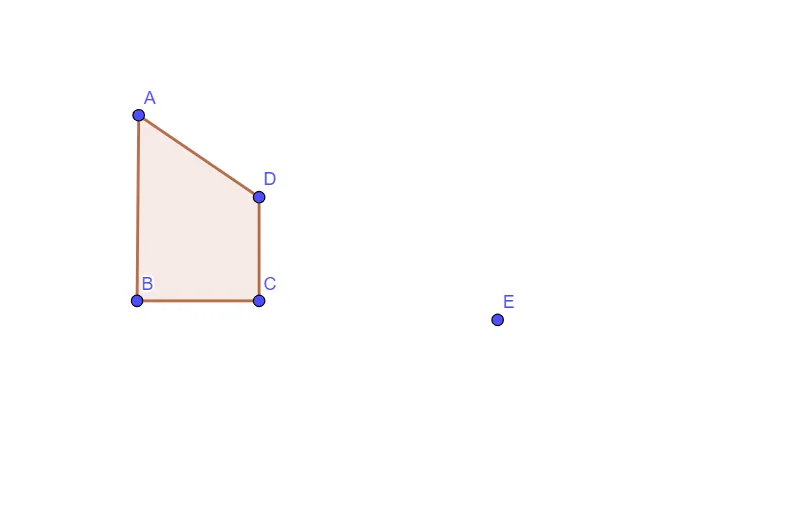
This GeoGebra example demonstrates how a polygon changes under rotation, using a “slide/flip/spin” style interaction to make the before-and-after configuration visually clear. The key mathematics concepts are rigid motions—especially rotation about a center by a given angle—together with the idea of correspondences between points (preserved distances to the rotation center) and the related role of translation when discussing overall positioning. From the construction summary, the main geometry is built with the Polygon command to create and update polygon objects using points such as A, B, C, D, plus additional constructed objects/parameters like q1 and E, along with auxiliary quantities a, b, c, d that help define the transformation setup. It is suitable for middle-school to early high-school geometry instruction, practice sessions, and classroom demonstrations focused on transformation geometry.
GeoGebra Commands & Parameters
Polygon(A, B, C, D) → q1, a, b, c, d
AI Drawing Prompt Reference
Draw a quadrilateral on a plane determined by four given points, and include the key rotation-related parameters and auxiliary quantities needed to visualize a rigid motion. Use one chosen center point and a specified rotation angle to rotate the quadrilateral, keeping the correspondence of vertices clear by preserving their distances to the rotation center. Present the rotated figure as a clear before-and-after comparison in a “slide/flip/spin” style, so the configuration after rotation can be visually related to the initial one. First place the four vertices and form the polygon, then set up the auxiliary quantities that support the angle and correspondence structure for the rotation.
The prompt above was compiled from the original drawing commands and is for reference only.