
Sliced Cylinder
Loading the math board and drawing, please wait…
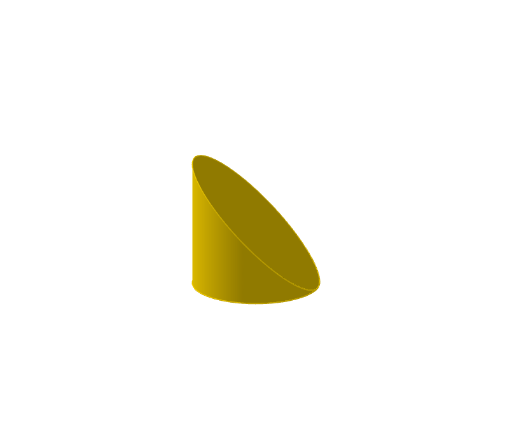
This example demonstrates the cross-sectional shapes of a cylinder after being sliced by a plane, showing how the shape changes. It involves core mathematical concepts like cylinders, quadratic equations, linear functions, scalene triangles, exponentiation, and area calculations. The construction uses GeoGebra commands such as Point, Cartesian Curve, Surface, Cylinder, IntersectPath, and Circle. It is suitable for high school students studying solid geometry, coordinate geometry, and function graphing.
GeoGebra Commands & Parameters
Point(zAxis) → APoint(zAxis) → BCurveCartesian((-2 * cos(t)), (-2 * sin(t)), (-2 * cos(t)), t, 0, (2 * pi)) → fCurveCartesian((2 * cos(t)), (2 * sin(t)), -2, t, 0, (2 * pi)) → hSurface(((u - 1) * f(t)) + (u * h(t)), u, 0, 1, t, (-pi), pi) → cCylinder(B, A, 2) → a, d, e, bIntersectPath(eq1, a) → gCircle(A, 2, zAxis) → k
AI Drawing Prompt Reference
Draw a cylinder sliced by a plane to show how its cross-section changes. Start by placing two points on the vertical axis as centers of the top and bottom bases, and construct a cylinder with radius 2. Use two parametric curves for the circular edges of the bases, then connect corresponding points to form the lateral surface. Intersect a plane with the cylinder to obtain a curve representing the cross-section, which may be an ellipse or circle. Finally, add a circle on the top base parallel to the bottom for reference. The figure should include the cylinder, cutting plane, intersection curve, and auxiliary circle, illustrating solid geometry concepts.
The prompt above was compiled from the original drawing commands and is for reference only.