
Sirius Geometric Demo
Loading the math board and drawing, please wait…
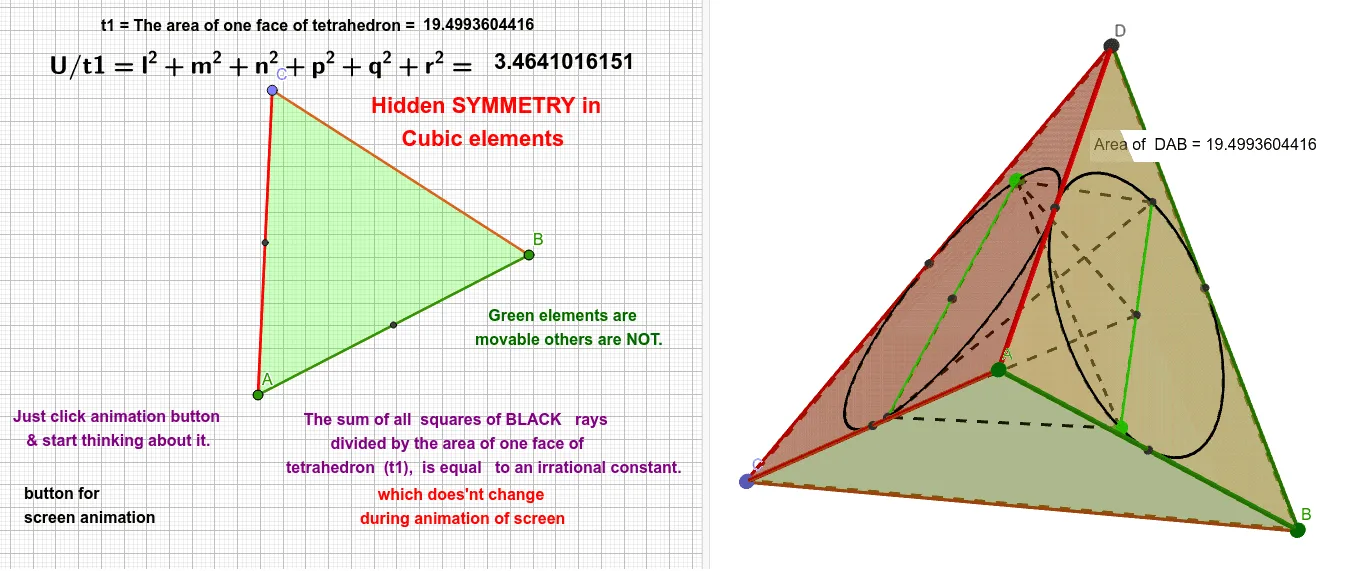
This example demonstrates geometric constructions involving centroids, midpoints, circumcircles, and surfaces of a tetrahedron, focusing on concepts like polygons, geometric transformations, solid geometry, symmetry, and probability distributions. It uses commands such as Point, Tetrahedron, Polygon, Centroid, Midpoint, Circle, Line, Intersect, Segment, and PointIn. Ideal for high school students and math enthusiasts studying geometric constructions and spatial visualization.
GeoGebra Commands & Parameters
Point(Circle[Midpoint[A, B], (Distance[A, B] * sqrt(3) / 2), Segment[A, B]]) → CTetrahedron(A, B, C) → a, D, edgeCD, edgeBD, faceABC, faceACD, faceABD, faceBCD, edgeAC, edgeAB, edgeBC, edgeADPolygon(D, A, B) → t1, b, d, a_1Polygon(C, D, A) → t2, a_2, c, d_1Centroid(t1) → ECentroid(t2) → FMidpoint(D, A) → GMidpoint(D, B) → HMidpoint(A, B) → ICircle(G, H, I) → eMidpoint(D, C) → JMidpoint(C, A) → KCircle(J, G, K) → fLine(J, F) → gPoint(f) → LPoint(e) → MLine(L, F) → hIntersect(h, f, 1) → NSegment(L, N) → iLine(M, E) → jIntersect(j, e, 1) → OSegment(M, O) → kSegment(N, M) → lSegment(N, E) → mSegment(N, O) → nSegment(L, M) → pSegment(L, E) → qSegment(L, O) → rPointIn(t1) → Pointt1_1PointIn(t1) → Pointt1_2PointIn(t1) → Pointt1_3PointIn(t1) → Pointt1_4PointIn(t1) → Pointt1
AI Drawing Prompt Reference
Draw a tetrahedron with its base triangle and apex. Construct circles using the midpoints of the base triangle and the edges of the tetrahedron. Find the intersections of these circles and connect them with the apex to form new segments. Finally, use the centroids of the base triangle to find other key points and construct additional segments and circles to complete the geometric figure.
The prompt above was compiled from the original drawing commands and is for reference only.