
Sinusoidal Surface Construction
Loading the math board and drawing, please wait…
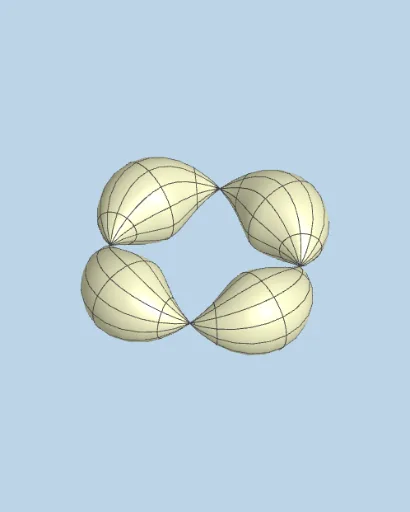
This example demonstrates how to generate a 3D sinusoidal surface by rotating a sine curve. Key math concepts include trigonometric functions, rotational geometry, and 3D graphing. Construction highlights involve commands like Polygon, Surface, rotation objects (rotasi, rotano), line segments (ejessi), coordinate axes (ejesno), and interactive elements (buttons). Suitable for high school and above students studying 3D modeling and parametric equations.
GeoGebra Commands & Parameters
Polygon(A, B, C, D) → c1, a_1, b_1, c_1, d_1Surface(((a + ((b * cos(v)) * cos((k * u)))) * cos(u)), ((a + ((b * cos(v)) * cos((k * u)))) * sin(u)), ((b * sin(v)) * cos((k * u))), u, 0, α, v, 0, β) → torosen2
AI Drawing Prompt Reference
Create a 3D sinusoidal surface by rotating a sine curve to demonstrate key concepts in trigonometry, rotational geometry, and 3D graphing. Begin by constructing a quadrilateral, then form a surface using the rotated sine curve, defined by parametric equations, with specified rotation angles.
The prompt above was compiled from the original drawing commands and is for reference only.