
Cube Midplane Demonstration
Loading the math board and drawing, please wait…
In collections
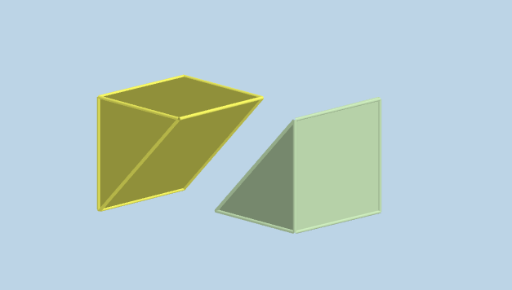
Dissecting a cube into equal parts
This example demonstrates the midplane of a cube through plane cutting; involves core math concepts like solid geometry, polygons, vectors, and transformations; constructed using commands such as Vector, Cube, Plane, Mirror, Intersect, Polygon, Translate in GeoGebra; suitable for high school geometry teaching and learning to understand properties and construction of spatial geometric bodies.
GeoGebra Commands & Parameters
Vector(O, (a, a, 0)) → uCube(A, B, C) → b, D, caraCDHG, caraEFGH, aristaAD, aristaAB, aristaBC, aristaCD, aristaAE, aristaDH, aristaEH, aristaEF, E, aristaBF, aristaFG, aristaCG, aristaGH, F, G, H, caraABCD, caraADHE, caraABFE, caraBCGFPlane(I, J, O) → pMirror(J, O) → J'Mirror(I, O) → I'Intersect(aristaDH, p) → KMirror(K, O) → K'Polygon(K, I, J, K', I', J') → p1, k, i, j, k', i', j'Polygon(J, G, C, B, K') → p2, j_1, g, c, b_1, fPolygon(G, I, K, D, C) → p3, g_1, i_1, k_1, d_1, c_1Polygon(I', B, C, D, J') → p4, h, b_2, c_2, d_2, lPolygon(J, I, G) → t1, g_2, j_2, i_2Polygon(I', K', B) → t2, b_3, m, nPolygon(D, K, J') → t3, q, d_3, k_2Translate(l1, Vector[(s * u)]) → l2Mirror(l2, O) → l3
AI Drawing Prompt Reference
Draw a 3D cube and construct its midplane by cutting with a plane. Use a given reference direction vector to define the setup, then define a plane through two cube-related points and the origin. Reflect the involved points across the origin to obtain their symmetric counterparts. Find intersection points between the cutting plane and selected cube edges, then mirror those intersection points again. Connect the original points with the mirrored points to form several polygonal regions that represent the cube’s cut faces, including polygons using different sets of cube vertices together with the mirrored intersection point. Finally, translate one line segment along the reference vector and mirror it about the origin to complete the symmetric configuration showing the midplane structure.
The prompt above was compiled from the original drawing commands and is for reference only.