
Sine Wave Zig-Zag Illusion
Loading the math board and drawing, please wait…
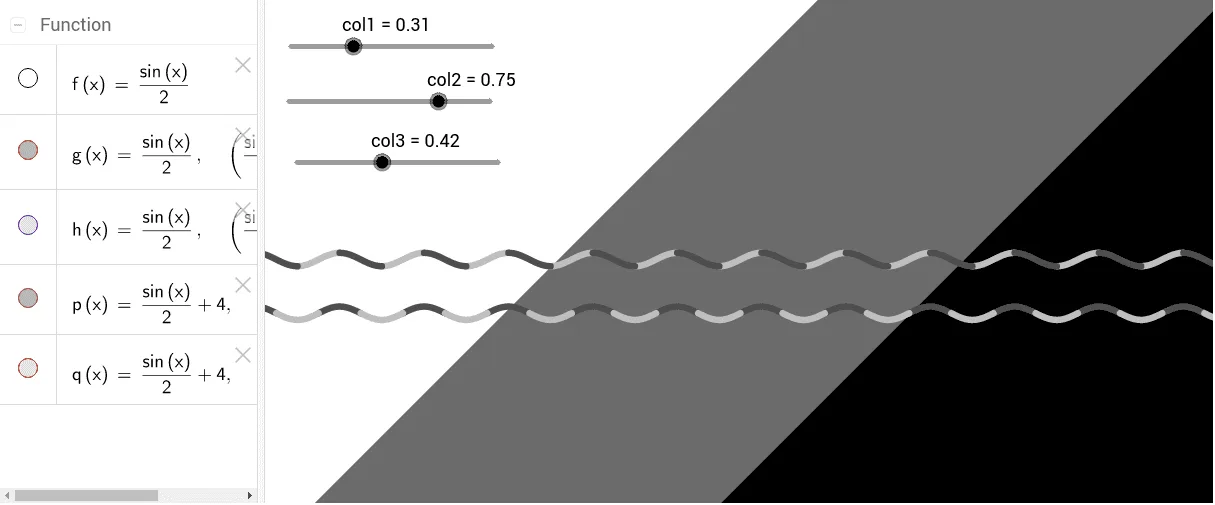
This example demonstrates the visual illusion between a sine wave and a zig-zag pattern. Key math concepts include trigonometry, vectors, coordinate geometry, and geometric construction. Construction highlights involve GeoGebra commands like f, g, h for function definitions, col1, col2, col3 for color settings, q, p for point manipulation, a, b for parameter adjustments, and 2D vectors for vector operations. Equilateral triangles are used in geometric constructions, possibly with exponential functions for auxiliary calculations. Suitable for high school and above students to understand function transformations and visual illusions.
GeoGebra Commands & Parameters
f(x) = sin(x) / 2g(x) = If[f(x) > 0, f(x)]h(x) = If[f(x) < 0, f(x)]Numeric col1(0.30980392156862746)Numeric col2(0.7450980392156863)q(x) = If[sgn(cos(x)) > 0, f(x) + 4]p(x) = If[sgn(cos(x)) < 0, f(x) + 4]a(x, y) = y ≤ xb(x, y) = y ≥ x ∧ y ≤ x + 30Numeric col3(0.4235294117647058)
AI Drawing Prompt Reference
Create a visual illusion combining a sine wave and a zig-zag pattern. Draw a sine curve with amplitude 0.5, keeping its positive part in light green and negative part in another light color. Then draw a second sine curve shifted upward by 4 units, split into two segments based on the sign of cosine, coloring them alternately to form a zig-zag. Add two auxiliary lines: one for the region y≤x, and another for the band y≥x and y≤x+30, filled with a third color to enhance contrast. Emphasize trigonometric transformations and geometric construction for the illusion.
The prompt above was compiled from the original drawing commands and is for reference only.