
Sine and Cosine Graphing Template
Loading the math board and drawing, please wait…
In collections
Sine and Cosine Graphing Templates
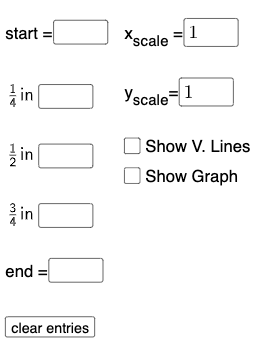
This example demonstrates the graphs of sine and cosine functions. Key mathematical concepts include trigonometric functions and function graphs. Using GeoGebra commands such as Textfield, Point, FitSin, etc., you can dynamically adjust function parameters and observe changes in the graph. Suitable for high school mathematics education and learning.
GeoGebra Commands & Parameters
Textfield(start) → InputBox1Textfield(end) → InputBox2Textfield(k1) → InputBox3Textfield(k2) → InputBox4Textfield(k3) → InputBox5Point(eq6) → APoint(eq7) → BPoint(eq8) → CPoint(eq9) → DTextfield(a) → InputBox6Textfield(b) → InputBox7Point(eq10) → EPoint(eq7) → FFitSin({A, C, D, E, F}) → f
AI Drawing Prompt Reference
Create a coordinate system with graphs of sine and cosine functions. Place several adjustable input boxes near the axes to control the starting angle, ending angle, and three different period or phase parameters. Mark five key points on the curves, with two points lying on the same curve and the others at distinct positions. Fit a smooth sine curve through these five points so that it passes as closely as possible to all marked points. The overall graphic is intended for dynamically showing how changing trigonometric parameters affects the shape of the graphs, suitable for educational demonstration.
The prompt above was compiled from the original drawing commands and is for reference only.