
Sine and Cosine Graphing Template by Tim Brzezinski (5)
Loading the math board and drawing, please wait…
This example demonstrates the graphing of sine and cosine functions, involving concepts like trigonometry, function graphs, and coordinate geometry. Construction uses GeoGebra commands such as Textfield, Point, FitSin, and various equation objects. Suitable for high school students or math enthusiasts learning about function graphs and trigonometric properties.
GeoGebra Commands & Parameters
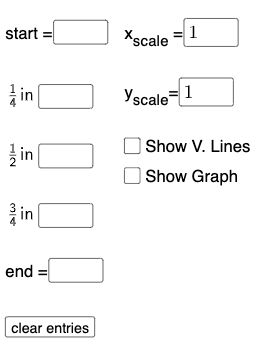
Textfield(start) → InputBox1Textfield(end) → InputBox2Textfield(k1) → InputBox3Textfield(k2) → InputBox4Textfield(k3) → InputBox5Point(eq6) → APoint(eq7) → BPoint(eq8) → CPoint(eq9) → DTextfield(a) → InputBox6Textfield(b) → InputBox7Point(eq10) → EPoint(eq7) → FFitSin({A, C, D, E, F}) → f
AI Drawing Prompt Reference
Create a graphing template for sine and cosine functions. Start by placing six input fields for setting start and end values, three coefficients, and two parameters for amplitude and period. In the coordinate plane, define five key points based on these inputs, with two points on one curve and the other three on separate function graphs. Finally, fit a smooth sine curve through these points to complete the graph. The overall figure includes axes, grid lines, input boxes, and the fitted curve, demonstrating how trigonometric functions change with parameters.
The prompt above was compiled from the original drawing commands and is for reference only.