
Sine and Cosine π-friendly Graphing Template
Loading the math board and drawing, please wait…
This example demonstrates the graphing of sine and cosine functions, highlighting their properties and relationships with π multiples. It involves core math concepts like trigonometric functions, function graphs, and π-based calculations. Constructed using GeoGebra commands such as Textfield, Point, FitSin, and SurdText for point creation, curve fitting, and text display. Ideal for high school students and teachers exploring function graphs and trigonometry.
GeoGebra Commands & Parameters
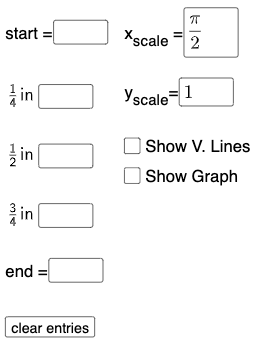
Textfield(start) → InputBox1Textfield(end) → InputBox2Textfield(k1) → InputBox3Textfield(k2) → InputBox4Textfield(k3) → InputBox5Point(eq6) → APoint(eq7) → BPoint(eq8) → CPoint(eq9) → DTextfield(a) → InputBox6Textfield(b) → InputBox7Point(eq10) → EPoint(eq7) → FFitSin({A, C, D, E, F}) → fSurdText(k2 / π) → text1SurdText(x(A) / π) → text4SurdText(k1 / π) → text6SurdText(x(E) / π) → text8SurdText(x(F) / π) → text10
AI Drawing Prompt Reference
Create a coordinate system with sine and cosine function graphs, where the x-axis is labeled in multiples of π. Include several editable input fields for adjusting the start value, end value, and three parameters. Mark five key points on the curves, some on the sine curve and some on the cosine curve, which are used to fit a sine curve. Display multiple text labels showing the ratios of parameters to π and the x-coordinates of key points to π, with values in surd or fraction form. The layout should be clear for observing how the trigonometric functions change with parameters.
The prompt above was compiled from the original drawing commands and is for reference only.