
Serlio 4: Geometric Construction and Trigonometric Applications
Loading the math board and drawing, please wait…
In collections
circles, ovals, ellipses and architecture
The Serlio 4 example demonstrates a graphical phenomenon combining geometric construction with trigonometric functions. Key mathematical concepts include trigonometry, geometric transformations, and coordinate geometry. Construction involves using GeoGebra commands like Point, Circle, and Intersect to build triangles, circles, and loci. Suitable for middle school geometry learning or mathematical modeling.
GeoGebra Commands & Parameters
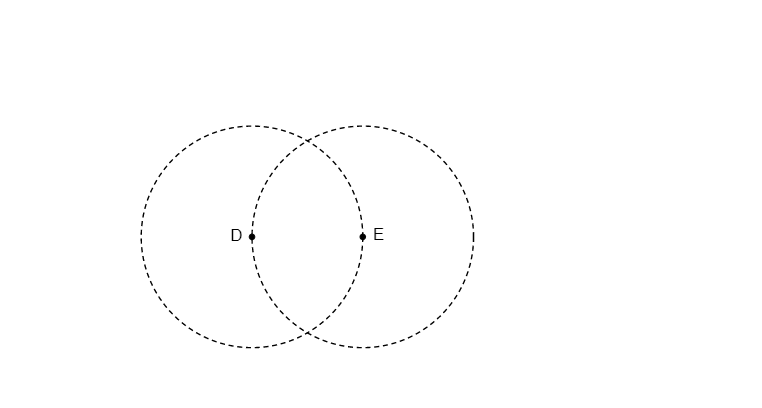
Point(xAxis) → DCircle(D, E) → cCircle(E, D) → dIntersect(c, d, 1) → AIntersect(c, d, 2) → BLine(B, E) → fLine(B, D) → gLine(A, D) → hLine(A, E) → iIntersect(c, g, 2) → CIntersect(d, f, 2) → FIntersect(d, i, 2) → GIntersect(c, h, 2) → HSegment(C, B) → jSegment(F, B) → kSegment(H, A) → lSegment(A, G) → mCircleArc(E, G, F) → eCircleArc(D, C, H) → pCircleArc(B, F, C) → qCircleArc(A, H, G) → r
AI Drawing Prompt Reference
On a single coordinate plane, choose two points: a point on the x-axis as the first, and a second point as the other reference. Construct two circles, each centered at one chosen point with radius equal to the distance to the other point. Identify the intersection points of the two circles to serve as main vertices. Draw lines from one intersection to each of the two reference points, then find additional intersection points between those lines and the circles. Connect several of the key points with segments to form a triangle-like configuration with subdivided sides. Finally, draw three circular arcs determined by the reference point pairs and the newly found intersection points, arranging the arcs so they follow the polygonal structure and reflect the geometric/trigonometric relationships.
The prompt above was compiled from the original drawing commands and is for reference only.