
Series of Conjugate Conics
Loading the math board and drawing, please wait…
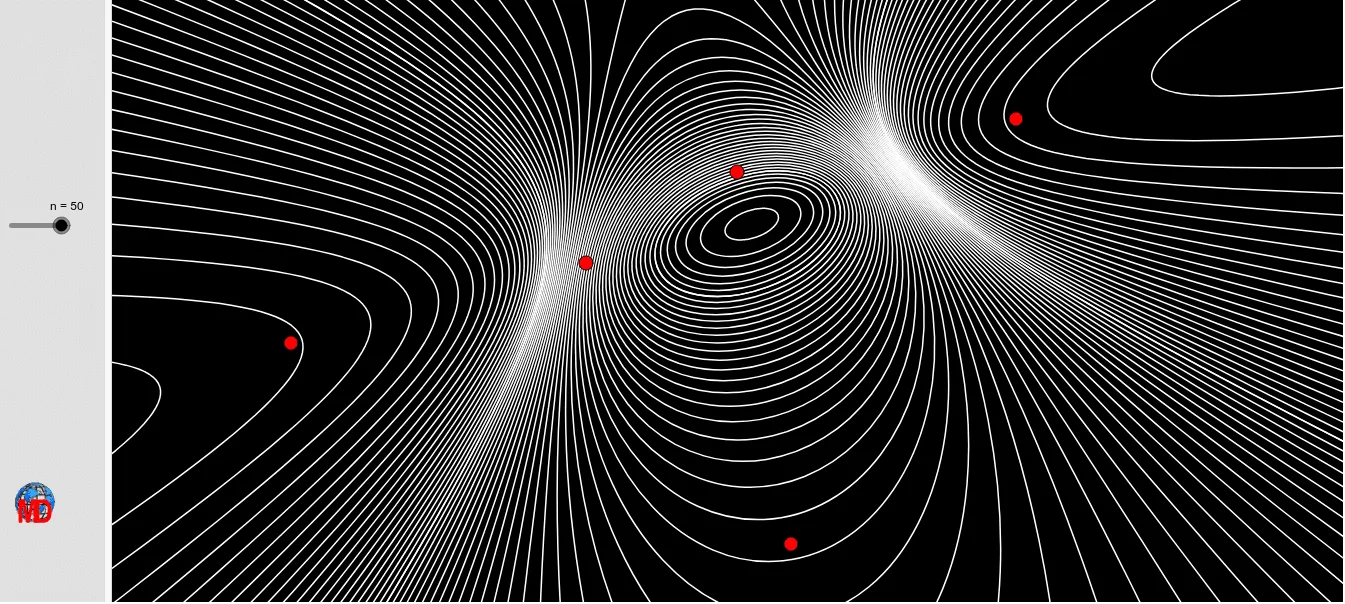
This example demonstrates the dynamic changes in a series of conjugate conics. It involves basic concepts of conic sections, such as ellipses and hyperbolas. Using GeoGebra commands like Hyperbola, Coefficients, Ellipse, and Sequence, a series of conjugate conics can be constructed. Suitable for high school mathematics education and learning, particularly in coordinate geometry and calculus courses.
GeoGebra Commands & Parameters
Hyperbola(A, B, F) → dCoefficients(d) → liste2Ellipse(E, D, C) → cCoefficients(c) → liste1Sequence((1000 * ((Element[liste1, 1] * x^(2)) + ((Element[liste1, 4] * x) * y) + (Element[liste1, 2] * y^(2)) + (Element[liste1, 5] * x) + (Element[liste1, 6] * y) + Element[liste1, 3])) + (t * ((Element[liste2, 1] * x^(2)) + ((Element[liste2, 4] * x) * y) + (Element[liste2, 2] * y^(2)) + (Element[liste2, 5] * x) + (Element[liste2, 6] * y) + Element[liste2, 3])) = 0, t, -1000, 1000, n) → liste4Sequence((t * ((Element[liste1, 1] * x^(2)) + ((Element[liste1, 4] * x) * y) + (Element[liste1, 2] * y^(2)) + (Element[liste1, 5] * x) + (Element[liste1, 6] * y) + Element[liste1, 3])) + (1000 * ((Element[liste2, 1] * x^(2)) + ((Element[liste2, 4] * x) * y) + (Element[liste2, 2] * y^(2)) + (Element[liste2, 5] * x) + (Element[liste2, 6] * y) + Element[liste2, 3])) = 0, t, -1000, 1000, n) → liste3
AI Drawing Prompt Reference
Draw a series of conjugate conic sections. First, draw a hyperbola, then extract its coefficients. Next, draw an ellipse and extract its coefficients as well. Use these coefficients to construct a series of conjugate conic sections, adjusting the parameter t from -1000 to 1000 to generate a series of varying conjugate conic sections.
The prompt above was compiled from the original drawing commands and is for reference only.