
School Breakfast and Number of Students: A Statistics Model
Loading the math board and drawing, please wait…
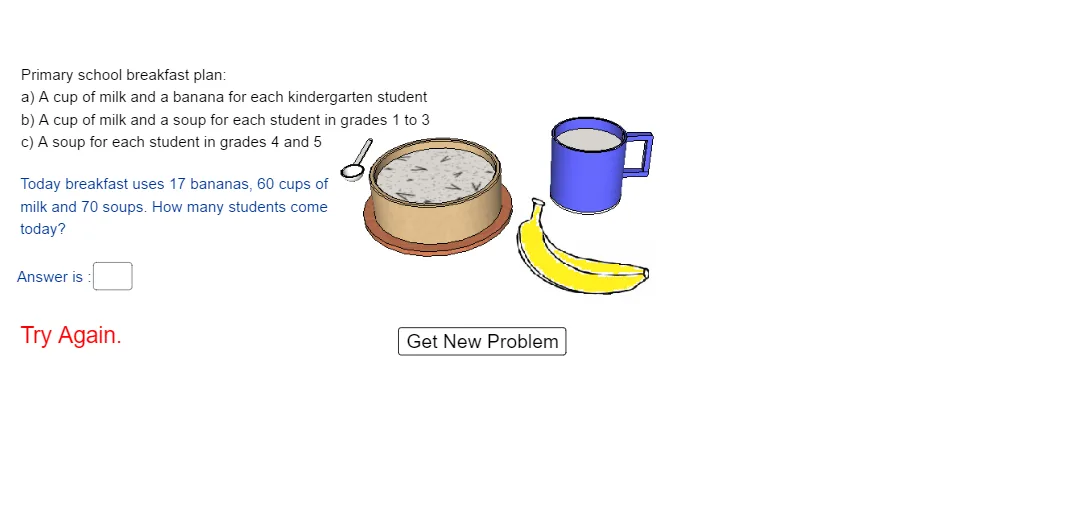
This GeoGebra example demonstrates how a school breakfast scenario (service/portion) can be linked to the number of students using random inputs and computed statistics. It highlights key ideas such as integers and arithmetic operations (addition/summation), generating sample values with randomness, and using statistical measures like variance to summarize variability across outcomes. Construction-wise, it relies on the GeoGebra command Random to produce randomized data, Textfield to display variable values and computed results, and input/output objects such as InputBox1 and ans/total (plus multiple text fields) to present intermediate and final calculations. A button (button1) triggers updates, while pic1 provides the visual workspace for the model’s results. Suitable for middle and high school learners, especially for probability & statistics lessons, interactive classroom demonstrations, and basic modeling practice.
GeoGebra Commands & Parameters
Random(15, 25) → bTextfield(ans) → InputBox1
AI Drawing Prompt Reference
Create a visual model showing school breakfast portions linked to student numbers. Include an input box for student count, a button to refresh data, and a display area showing a randomly generated breakfast portion number, followed by computed statistics such as total portions and variance. Use distinct text boxes or labels for raw data, intermediate values, and final statistical results, with simple icons or a small chart to represent the breakfast context.
The prompt above was compiled from the original drawing commands and is for reference only.