
Scalar Multiple and Addition of Vectors
Loading the math board and drawing, please wait…
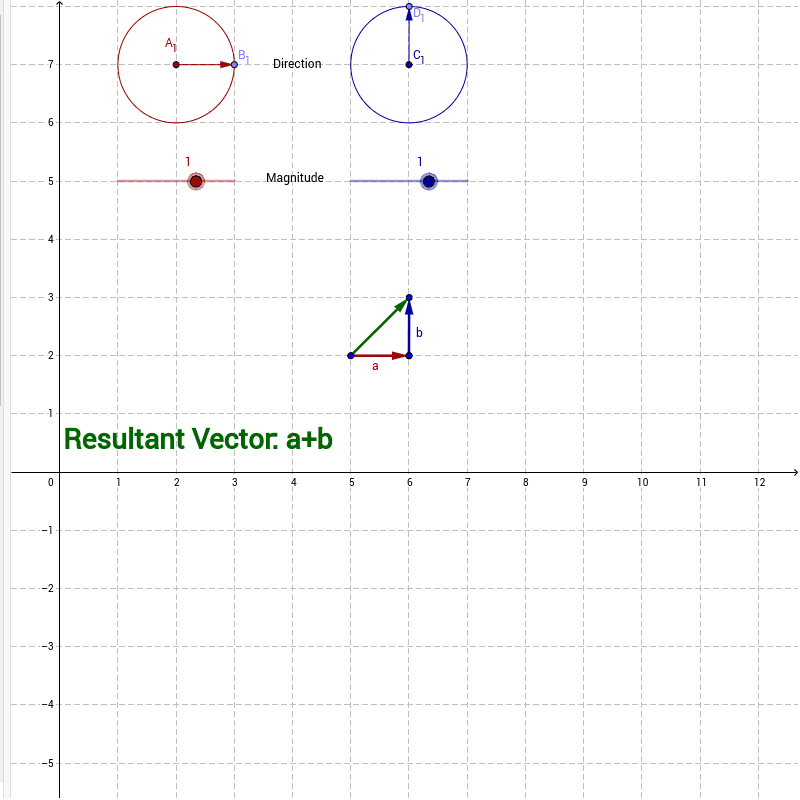
This example demonstrates how to visualize scalar multiplication and vector addition using GeoGebra. It involves core mathematical concepts like vectors, scalar multiplication, vector addition, and geometric representation. Key GeoGebra commands and objects used in the construction include Circle, Point, Vector, Translate, and Dilate. Suitable for high school students learning about the geometric meaning of vector operations.
GeoGebra Commands & Parameters
Circle(A_1, F) → cPoint(c) → B_1Vector(A_1, B_1) → uTranslate(A, u) → H'Dilate(H', factora, A) → BVector(A, B) → aCircle(C_1, F_1) → c_1Point(c_1) → D_1Vector(C_1, D_1) → u_1Translate(C, u_1) → H'_1Dilate(H'_1, factora_1, C) → DVector(C, D) → bVector(A, D) → wVector(C, B) → z
AI Drawing Prompt Reference
Visualize vector addition and scalar multiplication by drawing two vectors, obtained by connecting circle centers to points, then perform scalar multiplication and vector addition to show the resulting vectors' geometric meaning, start by drawing two circles, get points on the circles to form vectors, scale the vectors, and finally add the two vectors to get the resultant vector, represent the operations with geometric shapes.
The prompt above was compiled from the original drawing commands and is for reference only.