
Sample Size Problems Involving Proportions and Means
Loading the math board and drawing, please wait…
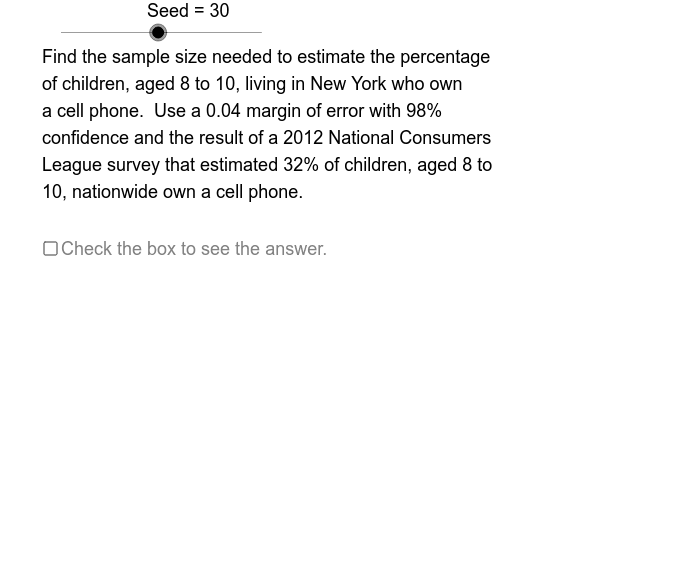
This GeoGebra applet demonstrates how to compute required sample sizes for estimating population proportions or means in statistical inference. It provides numerous interactive practice problems where users can adjust parameters such as confidence level, margin of error, population standard deviation, or proportion estimate, and instantly see the computed sample size. The core mathematical concepts include sample size formulas, the central limit theorem, confidence intervals, margin of error, and estimation of proportions and means. The construction uses GeoGebra commands like Sequence, Element, If, Mod, Segment, and CircumcircleArc to generate problem sets, with multiple sliders (Seed, OpSq, OpNm1, etc.) controlling parameters and answer visibility. Suitable for high school to college-level statistics courses, this applet serves as a practice tool for teachers and students to explore how sample size affects estimation precision and to reinforce understanding of inferential statistics.
GeoGebra Commands & Parameters
Sequence(Mod[14 + (61 * k), 128] + 100, k, 1, 61) → OpSqElement(OpSq, Seed) → OpNm1Element(FcSqMn, Op3) → FctMnElement(CfSq, Op2) → ConfElement(MltSqMn, Op1) → MltMnIf(ErrMn ≟ 1, "second", "seconds") → PlScIf(ErrMn ≟ 1, "hour", "hours") → PlHrMod(Seed, 2) → Op0Element(MltSqPrp, Op1) → MltPrpIf(ErrMn ≟ 1, " point", " points") → PlPtElement(FcSqPrp, Op3) → FctPrpElement(EstSq, Op1) → PrpEstMod(OpNm1, 2) → OEElement(SDSq, Op1) → StDvIf(OE ≟ 0, ErrPrp, ErrMn) → ErrIf(ErrMn ≟ 1, " book", " books") → PlBkSegment(AEL, AER) → ADvBrCircumcircleArc(ALT, ALC, ALB) → ALfPrCircumcircleArc(ART, ARC, ARB) → ARtPrSegment(DER, DEL) → DDvBrCircumcircleArc(BLT, BLC, BLB) → BLfPrCircumcircleArc(BRT, BRC, BRB) → BRtPrCircumcircleArc(CLT, CLC, CLB) → CLfPrIf(OE ≟ 0, ALfPr, CLfPr) → LfPr1CircumcircleArc(CRT, CRC, CRB) → CRtPrIf(OE ≟ 0, ARtPr, CRtPr) → RtPr1Segment(CEL, CER) → CDvBrIf(OE ≟ 0, ADvBr, CDvBr) → DvBr1CircumcircleArc(DLT, DLC, DLB) → DLfPrIf(OE ≟ 0, BLfPr, DLfPr) → LfPr2If(OE ≟ 0, SzPrp, SzMn) → SizeSegment(BER, BEL) → BDvBrCircumcircleArc(DRT, DRC, DRB) → DRtPrIf(OE ≟ 0, BRtPr, DRtPr) → RtPr2If(OE ≟ 0, BDvBr, DDvBr) → DvBr2Element(PSSq, Op0) → PS0Element(MPSq, Op1) → MPS0Element(PPSq, Op1) → PPS0If(Op0 ≟ 0, PrpDn1, MnDn1) → DspDn1If(Op0 ≟ 0, PrpEqMd, MnEqMd) → DspEqMdIf(Op0 ≟ 0, PrpEqSt, MnEqSt) → DspEqStIf(Op0 ≟ 0, PrpEx1, MnEx1) → DspEx1If(Op0 ≟ 0, PrpEx2, MnEx2) → DspEx2If(Op0 ≟ 0, PrpFrc, MnFrc) → DspFrcIf(Op0 ≟ 0, PrpNm1, MnNm1) → DspNm1If(Op0 ≟ 0, PrpRslt, MnRslt) → DspRsltIf(Op0 ≟ 0, PrpSb, MnSb) → DspSb
AI Drawing Prompt Reference
Please draw a statistics sample size calculator graphic. The graphic should include parameter input areas such as confidence level, margin of error, standard deviation, and proportion estimate; a result display area; and some diagrams showing confidence intervals and sample distributions. The graphic should be interactive, allowing users to adjust parameters and view sample size calculations in real time. Additionally, include a list of problems and answer displays for practice use. The design should be clear and user-friendly.
The prompt above was compiled from the original drawing commands and is for reference only.