
Rounding Numbers (Quiz with Immediate Feedback)
Loading the math board and drawing, please wait…
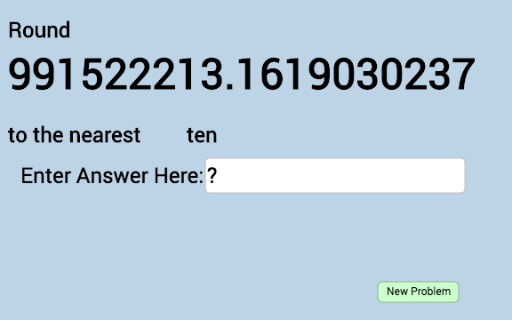
① This interactive quiz demonstrates how to round numbers to a specified place value (e.g., ones, tens, hundreds) with instant feedback on correctness. ② The core math concepts are place value and rounding rules, including understanding digit weights and deciding whether to round up or down. ③ Construction highlights: The applet uses GeoGebra's Random command to generate random numbers, a Textfield for student input, and a button (button1) to trigger checking; objects include multiple texts (text1 to text19) for displaying questions, hints, and feedback, along with variables a through w storing random values, answers, and states. ④ Suitable for upper elementary or middle school students, this applet serves as a practice tool for reinforcing rounding skills in class or self-study, and can also be used by teachers for demonstration.
GeoGebra Commands & Parameters
Random(1, 9) → aRandom(0, 9) → bRandom(0, 9) → cRandom(0, 9) → dRandom(0, 9) → eRandom(0, 9) → fRandom(0, 9) → gRandom(0, 9) → hRandom(0, 9) → iRandom(0, 9) → jRandom(0, 9) → kRandom(0, 9) → lRandom(0, 9) → mRandom(0, 9) → nRandom(0, 9) → oRandom(1, 14) → qTextfield(j_1) → InputBox1
AI Drawing Prompt Reference
Create an interactive quiz interface for practicing rounding numbers. Display a randomly generated multi-digit number in the center, with an input box beside it for the student's answer. Below, place a check button that gives immediate feedback on correctness. Scatter multiple text areas for showing the question, hints (like 'round to the nearest ten'), and right/wrong feedback messages. The layout should be clean and suitable for classroom or self-study use, emphasizing place value and rounding rules.
The prompt above was compiled from the original drawing commands and is for reference only.