
Rotational Symmetry of a Rhombus
Loading the math board and drawing, please wait…
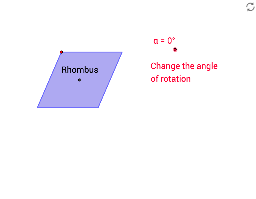
This example demonstrates the rotational symmetry of a rhombus. Key math concepts include symmetry, rotation, angles, and geometric construction. It utilizes commands like Segment, OrthogonalLine, Point, Intersect, Circle, Line, Polygon, Rotate, and Mirror in GeoGebra to illustrate the properties of rotational symmetry. Suitable for middle school students and beyond, or for use in mathematics education.
GeoGebra Commands & Parameters
Segment(A, B) → aOrthogonalLine(A, a) → bOrthogonalLine(B, a) → cPoint(b) → COrthogonalLine(C, b) → dIntersect(c, d) → DSegment(C, B) → eSegment(D, A) → fIntersect(e, f) → ESegment(K, L) → lCircle(K, L) → pPoint(p) → MSegment(K, M) → mLine(M, l) → nLine(L, m) → qIntersect(n, q) → NSegment(M, L) → rSegment(N, K) → sIntersect(r, s) → OPolygon(M, N, L, K) → poly3, m_1, n_1, l_1, k_1Rotate(C, (-α), E) → C'Rotate(D, (-α), E) → D'Rotate(B, (-α), E) → B'Rotate(A, (-α), E) → A'Polygon(C', D', B', A') → poly1', c', d', b', a'Rotate(M, (-α), O) → M'Rotate(N, (-α), O) → N'Rotate(L, (-α), O) → L'Rotate(K, (-α), O) → K'Polygon(M', N', L', K') → poly3', m', n', l', k'Segment(P, Q) → tSegment(P, R) → e_1Line(Q, e_1) → g_1Line(R, t) → h_1Intersect(g_1, h_1) → SSegment(R, Q) → i_1Segment(S, P) → j_1Intersect(i_1, j_1) → TRotate(P, (-α), T) → P'Rotate(R, (-α), T) → R'Rotate(S, (-α), T) → S'Rotate(Q, (-α), T) → Q'Polygon(P', R', S', Q') → poly4', p', r', s', q'Segment(U, V) → t_1Line(W, t_1) → b_2Point(b_2) → ZSegment(W, V) → d_2Segment(Z, U) → e_2Intersect(d_2, e_2) → A_1Rotate(U, (-α), A_1) → U'Rotate(V, (-α), A_1) → V'Rotate(Z, (-α), A_1) → Z'Rotate(W, (-α), A_1) → W'Polygon(U', V', Z', W') → poly5', u', v', z', w'Line(B_1, C_1) → f_2Mirror(D_1, f_2) → E_1Segment(D_1, E_1) → g_2Intersect(f_2, g_2) → F_1Rotate(D_1, (-α), F_1) → G_1Rotate(B_1, (-α), F_1) → H_1Rotate(E_1, (-α), F_1) → I_1Rotate(C_1, (-α), F_1) → J_1Polygon(G_1, H_1, I_1, J_1) → poly6', g_3, h_2, i_2, j_2Intersect(m, m_1) → HIntersect(m', k') → I
AI Drawing Prompt Reference
Draw a rhombus and demonstrate its rotational symmetry. Construct a rhombus, find the intersection of its diagonals as the rotation center, and rotate the rhombus by an angle (e.g., negative alpha) around this center to get a rotated copy, shown in a different color or dashed. Then construct another quadrilateral (like a parallelogram or rectangle), rotate it similarly around its diagonal intersection, and display the rotated version. Finally, construct an arbitrary quadrilateral and perform the same rotation. All rotated copies should overlap with the originals, illustrating rotational symmetry.
The prompt above was compiled from the original drawing commands and is for reference only.