
Rectangle Construction by youngcar
Loading the math board and drawing, please wait…
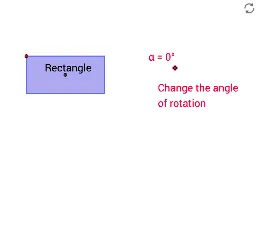
This example demonstrates how to construct a rectangle using GeoGebra. It involves core mathematical concepts such as straight lines, orthogonal lines, points, intersections, polygons, circles, rotations, and reflections. Key construction steps include using Segment to draw segments, OrthogonalLine to create perpendicular lines, Point to place points, Intersect to find intersections, Polygon to form polygons, Circle to draw circles, Line to create lines, Rotate for rotations, and Mirror for reflections. Suitable for high school mathematics education to understand geometric constructions and transformations.
GeoGebra Commands & Parameters
Segment(A, B) → aOrthogonalLine(A, a) → bOrthogonalLine(B, a) → cPoint(b) → COrthogonalLine(C, b) → dIntersect(c, d) → DPolygon(C, D, B, A) → poly1, c_1, d_1, b_1, a_1Segment(C, B) → eSegment(D, A) → fIntersect(e, f) → ESegment(K, L) → lCircle(K, L) → pPoint(p) → MSegment(K, M) → mLine(M, l) → nLine(L, m) → qIntersect(n, q) → NSegment(M, L) → rSegment(N, K) → sIntersect(r, s) → ORotate(C, (-α), E) → C'Rotate(D, (-α), E) → D'Rotate(B, (-α), E) → B'Rotate(A, (-α), E) → A'Polygon(C', D', B', A') → poly1', c', d', b', a'Rotate(M, (-α), O) → M'Rotate(N, (-α), O) → N'Rotate(L, (-α), O) → L'Rotate(K, (-α), O) → K'Polygon(M', N', L', K') → poly3', m', n', l', k'Segment(P, Q) → tSegment(P, R) → e_1Line(Q, e_1) → g_1Line(R, t) → h_1Intersect(g_1, h_1) → SSegment(R, Q) → i_1Segment(S, P) → j_1Intersect(i_1, j_1) → TRotate(P, (-α), T) → P'Rotate(R, (-α), T) → R'Rotate(S, (-α), T) → S'Rotate(Q, (-α), T) → Q'Segment(U, V) → t_1Line(W, t_1) → b_2Point(b_2) → ZSegment(W, V) → d_2Segment(Z, U) → e_2Intersect(d_2, e_2) → A_1Rotate(U, (-α), A_1) → U'Rotate(V, (-α), A_1) → V'Rotate(Z, (-α), A_1) → Z'Rotate(W, (-α), A_1) → W'Line(B_1, C_1) → f_2Mirror(D_1, f_2) → E_1Segment(D_1, E_1) → g_2Intersect(f_2, g_2) → F_1Rotate(D_1, (-α), F_1) → G_1Rotate(B_1, (-α), F_1) → H_1Rotate(E_1, (-α), F_1) → I_1Rotate(C_1, (-α), F_1) → J_1Polygon(G_1, H_1, I_1, J_1) → poly6', g_3, h_2, i_2, j_2Intersect(c', a') → HIntersect(c_1, a_1) → I
AI Drawing Prompt Reference
Draw a rectangle by first creating two intersecting line segments, then drawing perpendicular lines from each segment to form four vertices. Connect these vertices to complete the rectangle. Next, rotate the rectangle around one of its sides by a certain angle to create a new rectangle. Finally, rotate a point around the center of the rectangle to a new position and connect these points to form another rotated shape.
The prompt above was compiled from the original drawing commands and is for reference only.