
Rotation of Spheres and Rainbow Rings
Loading the math board and drawing, please wait…
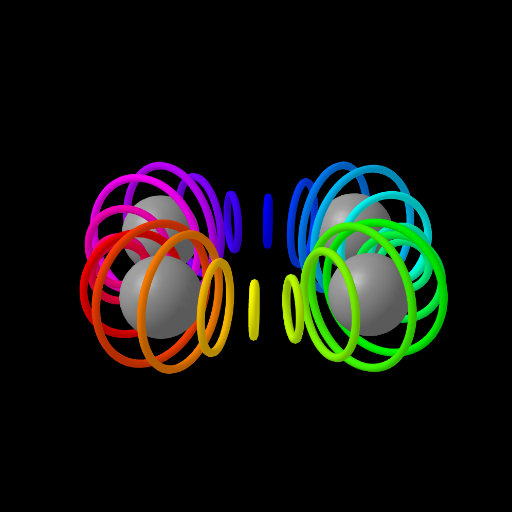
This example demonstrates the phenomenon of rainbow rings generated during the rotation of spheres. It involves core mathematical concepts such as sphere geometry, rotational transformations, stochastic processes, and locus. The construction utilizes GeoGebra commands like Circle, Zip, Rotate, CurveCartesian, and Element. Suitable for high school students and math enthusiasts studying solid geometry and transformation applications.
GeoGebra Commands & Parameters
Circle((x(w), y(w), z(w)), 1, Vector[(0, 1, 0)]) → dZip(Rotate[Circle[(x(w), y(w), z(w)), g(rot, t), Vector[(0, 1, 0)]], ((2 * rot) * π / max)], rot, Lm) → LCRotate(Translate[Sphere[(0, 0, 0), 1.7], w], t / 4) → sCurveCartesian((cos((4 * θ)) + 3; θ), θ, 0, (2 * π)) → bZip(Rotate[s, ((2 * rot) * π / 4)], rot, Ln) → LSElement(LC, A1) → B1Element(LC, A2) → B2Element(LC, A3) → B3Element(LC, A4) → B4Element(LC, A5) → B5Element(LC, A6) → B6Element(LC, A7) → B7Element(LC, A8) → B8Element(LC, A9) → B9Element(LC, A10) → B10Element(LC, A11) → B11Element(LC, A12) → B12Element(LC, A13) → B13Element(LC, A14) → B14Element(LC, A15) → B15Element(LC, A16) → B16Element(LC, A17) → B17Element(LC, A18) → B18Element(LC, A19) → B19Element(LC, A20) → B20Element(LC, A21) → B21Element(LC, A22) → B22Element(LC, A23) → B23Element(LC, A24) → B24
AI Drawing Prompt Reference
Draw a rotating sphere with colorful rainbow rings generated on its surface. The sphere rotates around a vertical axis, creating a stochastic pattern of colored rings. Start by drawing the sphere, then use rotations and transformations to generate the rings, which consist of multiple points forming a random distribution of colorful paths. Finally, combine the sphere and the rings to visualize the mathematical relationship between rotation and the rainbow effect.
The prompt above was compiled from the original drawing commands and is for reference only.