
Rotating Pyramid 3D Demo
Loading the math board and drawing, please wait…
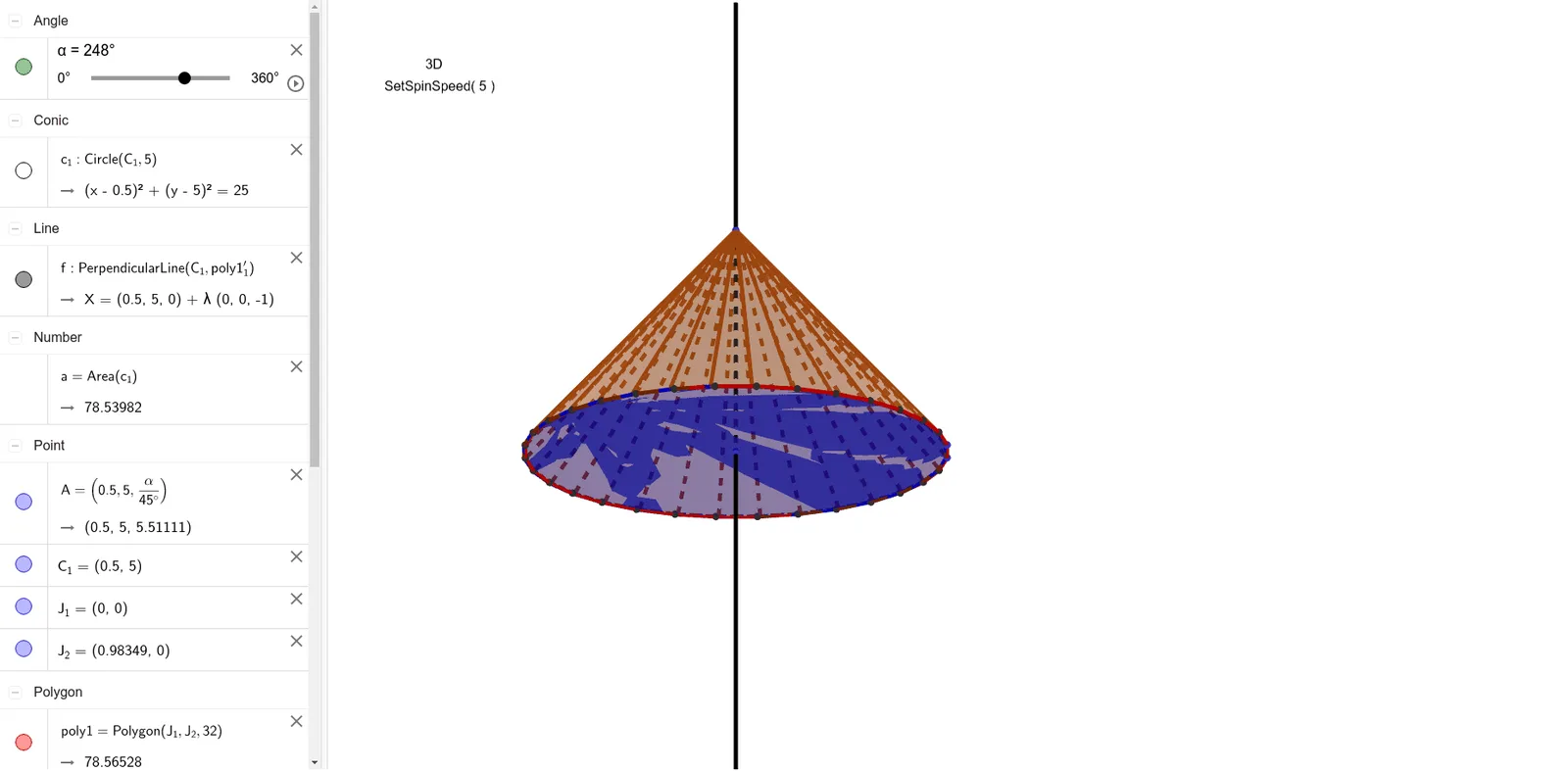
This example dynamically demonstrates the 3D shape of a rotating pyramid, visually showcasing the construction and transformation of solid geometric figures. Core math concepts include polygons, solid geometry, and rotational transformations. Construction highlights GeoGebra commands like Polygon, Circle, Area, Rotate, OrthogonalLine, and Pyramid. Suitable for high school students and math enthusiasts to learn solid geometry and spatial visualization.
GeoGebra Commands & Parameters
Polygon(J_1, J_2, 32) → poly1, g, q, r, s, t, b, d, e, f_1, g_1, h_1, h, i_1, j_1, k_1, l_1, m_1, n_1, p_1, q_1, r_1, s_1, i, t_1, a_1, b_1, C, D, E, F, G, H, I, j, J, K, L, M, N, O, P, Q, R, S, k, T, U, V, W, Z, A_1, B_1, C_2, D_1, E_1, l, F_1, G_1, H_1, m, n, pCircle(C_1, 5) → c_1Area(c_1) → aRotate(poly1, α, C_1) → poly1'Rotate(poly1, (-2 * α), C_1) → poly1'_1OrthogonalLine(C_1, poly1'_1) → fPyramid(poly1'_1, A) → c, face1, face11, face12, face13, face14, face15, face16, face17, face18, face19, face20, face3, face21, face22, face23, face24, face25, face26, face27, face28, face29, face30, face4, face31, face32, face2, edge1, edge2, edge3, edge4, edge5, edge6, edge7, face5, edge8, edge9, edge10, edge11, edge12, edge13, edge14, edge15, edge16, edge17, face6, edge18, edge19, edge20, edge21, edge22, edge23, edge24, edge25, edge26, edge27, face7, edge28, edge29, edge30, edge31, edge32, face8, face9, face10
AI Drawing Prompt Reference
Draw a rotating pyramid to demonstrate its 3D shape and dynamic transformation. Start by creating a polygon as the base, then rotate the polygon around its center by a certain angle to form a rotating path. Next, draw perpendicular lines from the center to the edges of the rotated polygon. Finally, combine the rotated polygon and the perpendicular lines to form a 3D pyramid shape, clearly showing its construction and spatial relationships.
The prompt above was compiled from the original drawing commands and is for reference only.