
Equilateral Triangles, Leaf Patterns, Transforms & Symmetries
Loading the math board and drawing, please wait…
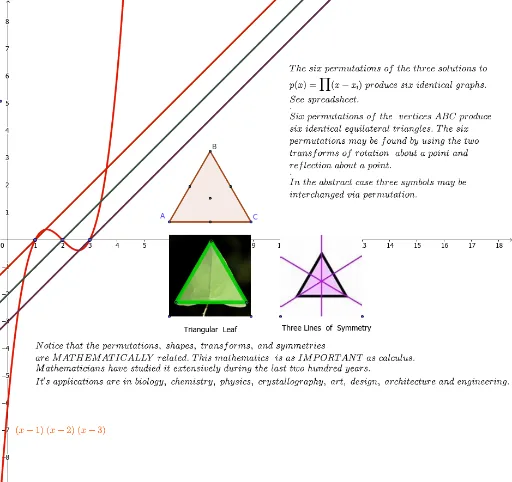
This GeoGebra example demonstrates how equilateral triangles, constructed via midpoint, polygon, and centroid commands, generate leaf-like patterns through plane transformations and symmetry. Core mathematical concepts include equilateral triangle properties, rigid motions, reflection, and symmetry groups. Construction highlights the use of Midpoint, Polygon, and Centroid commands along with numerous point objects (A1–D6, G, H) to build layered symmetric structures. Suitable for high school geometry, transform geometry units, or independent exploration of symmetric design and geometric patterns.
GeoGebra Commands & Parameters
Midpoint(A_1, B_1) → DMidpoint(B_1, C_1) → EPolygon(A, C, 3) → poly1, i, j, k, BMidpoint(A, B) → IMidpoint(B, C) → JMidpoint(C, A) → KCentroid(poly1) → LPolygon(F, O, 3) → poly2, l, m, n, P
AI Drawing Prompt Reference
Draw a symmetric leaf-like pattern composed of equilateral triangles. Start with two equilateral triangles, using midpoints of their sides to construct new equilateral triangles, forming a basic framework. Then connect three midpoints to form an inner triangle and locate its centroid. Next, use another centroid as a vertex to construct a third equilateral triangle, overlapping with the existing structure. Through translations, rotations, and reflections, arrange multiple equilateral triangles symmetrically around a center, creating layered leaf-like patterns. The figure includes multiple vertices and centroids, emphasizing equilateral triangle properties and symmetry.
The prompt above was compiled from the original drawing commands and is for reference only.