
Rotating Cube by Malin Christersson
Loading the math board and drawing, please wait…
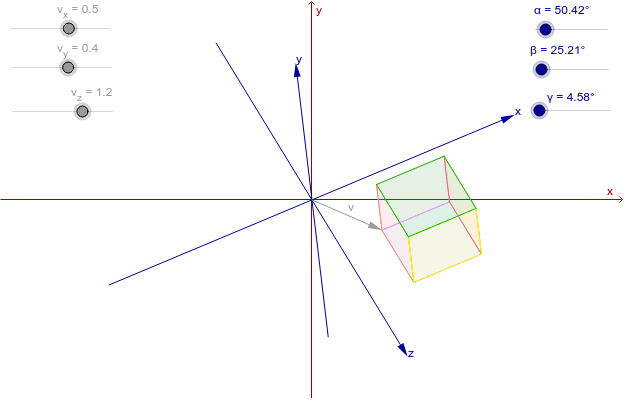
This example demonstrates a cube's displacement in a blue coordinate system. By adjusting the sliders, you can observe the cube's rotation. Key mathematical concepts include solid geometry and transformation. It uses commands like Polygon and Vector in GeoGebra. Suitable for high school and above students learning solid geometry and transformation.
GeoGebra Commands & Parameters
Polygon(B24, G24, D24, A24) → poly1, b24, g24, d24, a24Polygon(B24, A24, C24, E24) → poly2, b24_1, a24_1, c24, e24Polygon(E24, H24, G24, B24) → poly3, e24_1, h24, g24_1, b24_2Polygon(A24, D24, F24, C24) → poly4, a24_2, d24_1, f24, c24_1Polygon(G24, H24, F24, D24) → poly5, g24_2, h24_1, f24_1, d24_2Polygon(F24, H24, E24, C24) → poly6, f24_2, h24_2, e24_2, c24_2Vector(I23, J23) → wVector(K23, L23) → zVector(M23, N23) → aVector(A24) → position
AI Drawing Prompt Reference
Draw a cube and observe its rotation by adjusting the slider. First, draw six squares to represent the six faces of the cube, then use vectors to indicate the rotation axis.
The prompt above was compiled from the original drawing commands and is for reference only.