
Light in GeoGebra (2): 3D Geometry and Dynamic Interaction
Loading the math board and drawing, please wait…
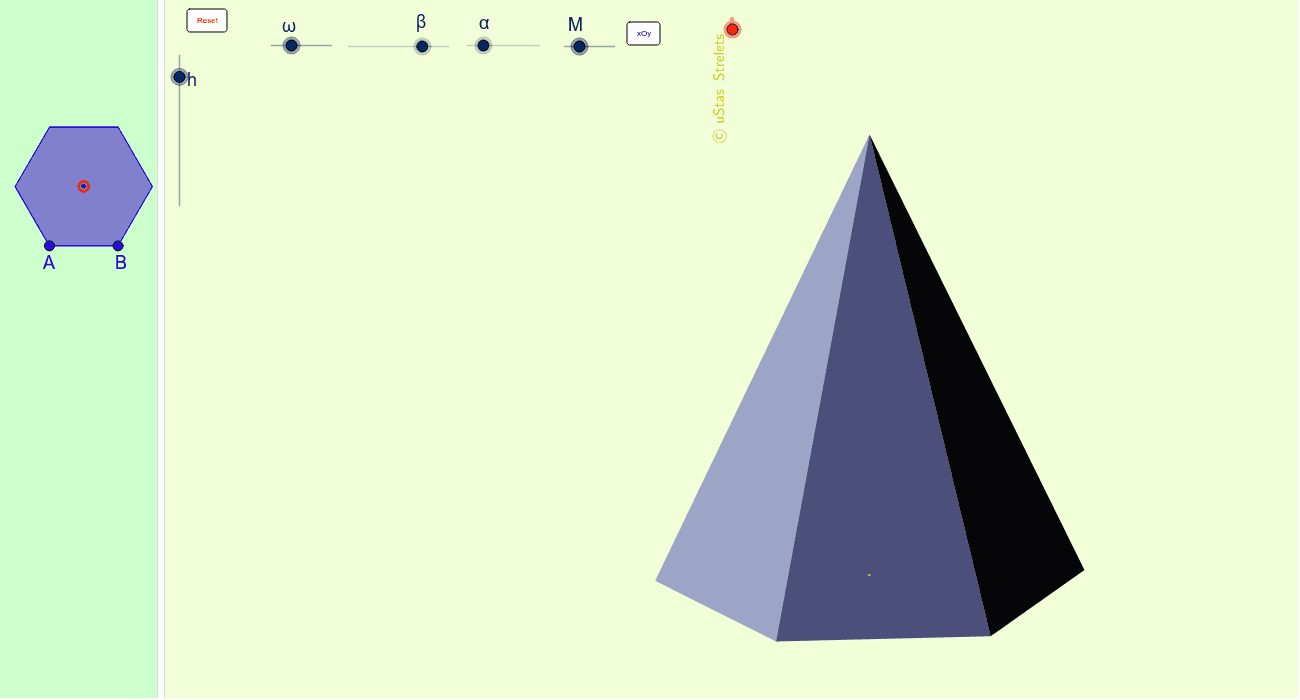
This example demonstrates a dynamic 3D scene in GeoGebra featuring light, a pyramid, and various geometric elements, highlighting spatial relationships between light and solid shapes. Core mathematical concepts include solid geometry (pyramids), symmetry, vector operations, and area calculation, while incorporating random experiments and integer parameters to reflect mathematical modeling and visualization. Construction highlights use commands such as RotateText for rotating text labels, Segment and Polygon for creating segments and polygons, Midpoint for finding midpoints, Distance for measuring lengths, Vector for defining vectors, and Area for computing areas. Objects include multiple points (O, A, B, S), buttons (кнопка1, кнопка2), and text labels (надпись24, надпись21), allowing dynamic adjustments via sliders or buttons. Suitable for high school and above in teaching solid geometry, mathematical experiments, or exploring symmetry and transformation properties, and also serves as an advanced GeoGebra operation tutorial.
GeoGebra Commands & Parameters
RotateText("\copyright uStas\;\;Strelets", 90*°) → надпись24Segment(S, O_1) → tDistance(A_5, B_5) → bDistance(A_5, O_5) → j_3Vector(A, S) → eVector(A, S) → sPolygon(A_5, B_5, 6) → многоугольник1, a_5, F_5, b_5, a, f, g, j, C_5, D_5, E_5Midpoint(A_5, D_5) → O_3Area(A_5, B_5, C_5, D_5, E_5, F_5) → w_1Polygon(S, A, B) → многоугольник2, b_2, s_1, a_1Polygon(S, B, C) → многоугольник3, c_2, s_2, b_3Polygon(C, S, D) → многоугольник4, d_2, c_3, s_3Polygon(D, S, E) → многоугольник5, e_2, d_3, s_4Polygon(E, S, F) → многоугольник6, f_1, e_4, s_5Polygon(F, S, A) → многоугольник7, a_2, f_2, s_6
AI Drawing Prompt Reference
Create a 3D scene with a regular hexagonal base on the ground plane, and a vertex above its center. Connect this vertex to all six base vertices to form a hexagonal pyramid. Place a light source point near or inside the pyramid, and draw a segment from the light to one pyramid vertex to indicate a light ray. Mark two points on the base and show their distance. Include a rotating text label. The overall composition emphasizes spatial relationships and symmetry, with adjustable parameters via sliders or buttons.
The prompt above was compiled from the original drawing commands and is for reference only.