
Rotating Circle and Locus
Loading the math board and drawing, please wait…
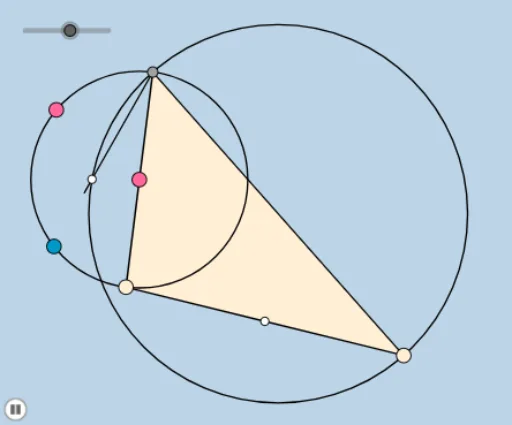
This example demonstrates the concept of rotating circles and loci. Key mathematical concepts include circles, rotation, and loci. Using GeoGebra commands such as Circle, Rotate, Ray, etc., dynamic geometric figures can be constructed. Suitable for high school geometry and calculus courses.
GeoGebra Commands & Parameters
Circle(A, B) → cPoint(c) → CLine(C, A) → fIntersect(c, f, 2) → DRotate(D, ((-a) * π / 180), C) → D'Ray(C, D') → gPoint(g) → EMidpoint(D, E) → FLine(F, D) → iOrthogonalLine(D, i) → jIntersect(c, j) → J, KCircleArc(A, K, D) → kAngle(D, C, D') → αCircle(F, E) → dPoint(k) → GCircleArc(A, C, D) → eRay(D, G) → hIntersect(d, h, 2) → HMidpoint(C, E) → IDistance(G, I) → distanceGIDistance(H, I) → distanceHIPolygon(C, E, D) → poly1, d_1, c_1, e_1Intersect(d, h) → L, MDistance(I, G) → distanceIGDistance(I, L) → distanceILSegment(D, E) → lDilate(C, If[0 < b ≤ 1, 1 - b, 0], I) → C'Segment(C, C') → mRotate(C, If[1 < b ≤ 2, ((-(b - 1)) * π), (-π)], I) → C'_1Rotate(C', If[1 < b ≤ 2, ((-(b - 1)) * π), (-π)], I) → C''Segment(C'_1, C'') → m'Dilate(D, If[2 < b ≤ 3, 3 - b, 0], G) → D'_1Dilate(G, If[3 < b ≤ 4, 4 - b, 0], L) → G'Segment(D, D'_1) → nSegment(G, G') → pLine(D, G) → qIntersect(d, q) → N, ODistance(D, G) → oDistance(D, O) → rDilate(D, If[2 < b ≤ 3, 3 - b, 0], L) → D'_2Segment(D, D'_2) → sDilate(L, If[3 < b ≤ 4, 4 - b, 0], G) → L'Segment(L, L') → tDilate(I, If[4 < b ≤ 5, 5 - b, 0], G) → I'Segment(I, I') → f_1Angle(L, I, G) → βRotate(I, If[5 < b ≤ 6, ((-(b - 5)) * β), (-β)], I) → I'_1Rotate(I', If[5 < b ≤ 6, ((-(b - 5)) * β), (-β)], I) → I''Segment(I'_1, I'') → g_1Segment(C, D) → h_1