
Rotating a Spiral: Dynamic 3D Surface
Loading the math board and drawing, please wait…
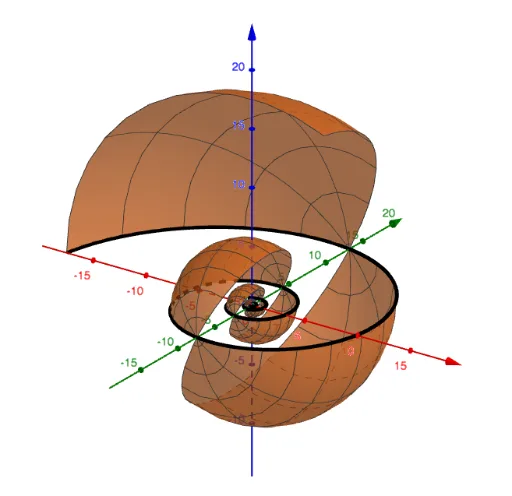
This GeoGebra example dynamically demonstrates a spiral curve rotating around an axis to generate a three-dimensional surface, vividly illustrating how a planar parametric curve transforms into a spatial solid. The core mathematical concepts involve parametric equations, trigonometric functions, rotational transformations, and differential equations (as spirals often relate to Archimedean or logarithmic spirals). The construction uses the CurveCartesian command to define the 2D spiral, the Surface command to create the rotational surface, and sliders a, n, b to control the radius, number of turns, and rotation angle, enabling interactive exploration. Suitable for high school to undergraduate students studying parametric curves, spatial surfaces, and transformations, as well as for mathematical modeling or artistic spiral design.
GeoGebra Commands & Parameters
CurveCartesian(((f(t) * cos(t)), (f(t) * sin(t)), 0), t, (-5 * π), (5 * π)) → aSurface(a, n, yAxis) → b
AI Drawing Prompt Reference
Draw a 3D surface generated by rotating a spiral curve around an axis. First, create a 2D spiral curve using parametric equations, then use this curve to generate a rotational surface. Adjust the radius, number of turns, and rotation angle using sliders for dynamic visualization.
The prompt above was compiled from the original drawing commands and is for reference only.