
Rotate Cube: Geometric Transformation and Coordinate System
Loading the math board and drawing, please wait…
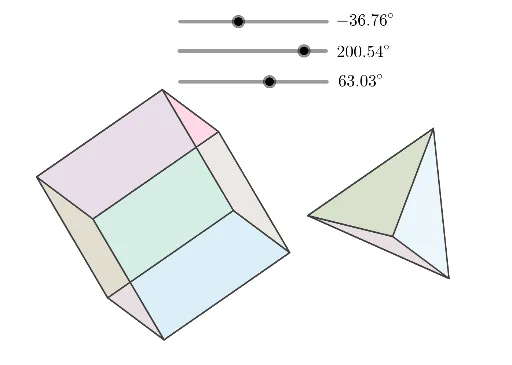
This example demonstrates how to rotate a cube to change its spatial position, involving key mathematical concepts such as geometric transformations, coordinate systems, and matrix operations. Construction points include using the Intersect command to find intersection points, Polygon command to draw polygons, and parameterized objects like T_z, T_x, etc., to control rotation angles. Suitable for middle school geometry studies or mathematical modeling courses to understand spatial transformation and coordinate system conversion principles.
GeoGebra Commands & Parameters
Intersect(xAxis, yAxis) → APolygon(E6, F6, H6, G6) → q1, e6, f6, h6, g6Polygon(A6, E6, G6, C6) → q2, a6, e6_1, g6_1, c6Polygon(C6, G6, H6, D6) → q3, c6_1, g6_2, h6_1, d6Polygon(F6, B6, D6, H6) → q4, f6_1, b6, d6_1, h6_2Polygon(A6, B6, D6, C6) → q5, a6_1, b6_1, d6_2, c6_2Polygon(E6, F6, B6, A6) → q6, e6_2, f6_2, b6_2, a6_2Polygon(K7, L7, I7) → t1, i7, k7, l7Polygon(K7, I7, J7) → t2, j7, k7_1, i7_1Polygon(J7, L7, K7) → t3, k7_2, j7_1, l7_1Polygon(K7, L7, J7) → t4, j7_2, k7_3, l7_2