
Matrix Transformations in 3D: Visualizing Linear Transformations on a Cube
Loading the math board and drawing, please wait…
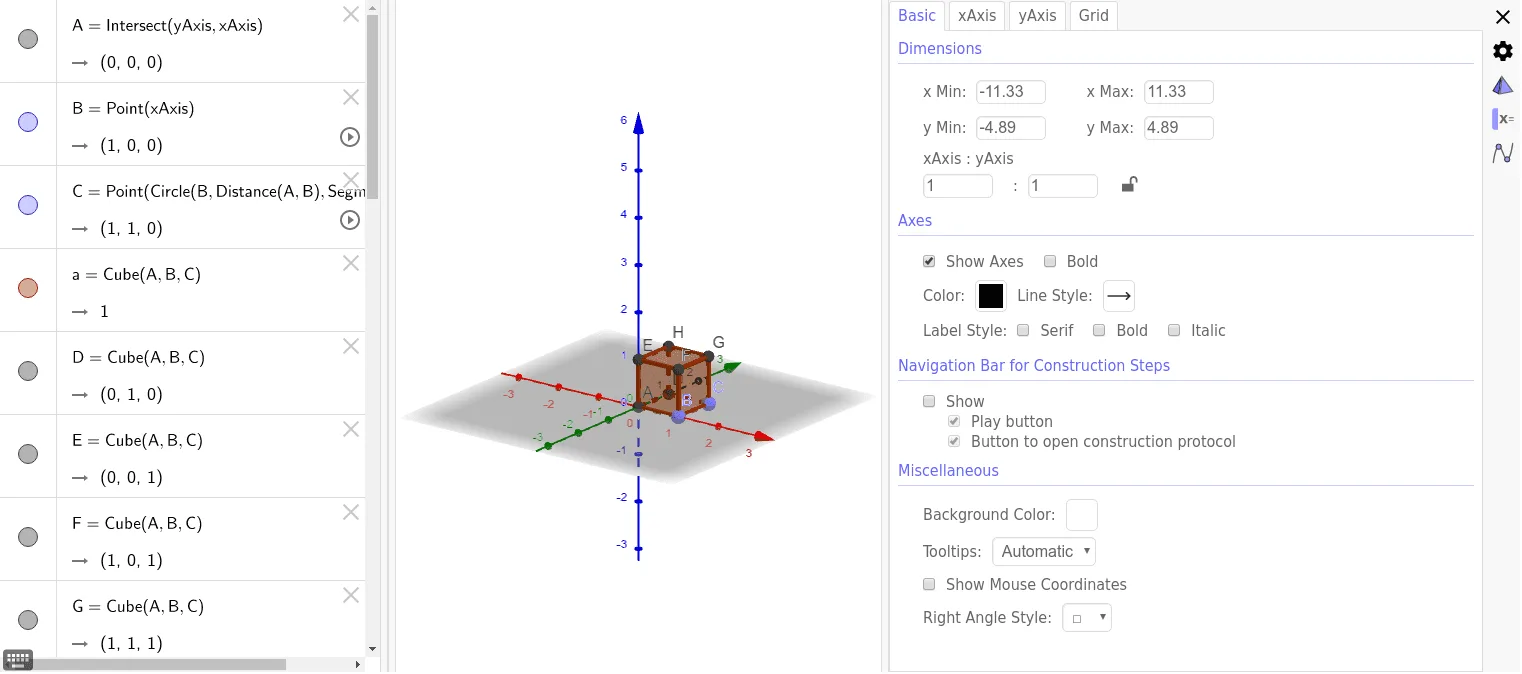
This GeoGebra example demonstrates how matrix transformations affect a cube in three-dimensional space, allowing users to interactively explore linear transformations such as rotation, scaling, and shearing. The core mathematical concepts include matrix multiplication, linear transformations, coordinate transformations in 3D, and the solid geometry of a cube (vertices, edges, and faces). The construction uses GeoGebra commands: Intersect to find intersection points, Point to define key vertices, and Cube to create the solid, along with generated objects like faces (faceABCD, faceADHE, etc.) and edges (edgeAD, edgeAB, etc.) to visualize changes. It is suitable for high school or early college students learning linear algebra and 3D geometry, and serves as an effective teaching tool for demonstrating the geometric meaning of matrix transformations.
GeoGebra Commands & Parameters
Intersect(yAxis, xAxis) → APoint(xAxis) → BPoint(Circle[B, Distance[A, B], Segment[A, B]]) → CCube(A, B, C) → a, D, faceCDHG, faceEFGH, edgeAD, edgeAB, edgeBC, edgeCD, edgeAE, edgeDH, edgeEH, edgeEF, E, edgeBF, edgeFG, edgeCG, edgeGH, F, G, H, faceABCD, faceADHE, faceABFE, faceBCGF
AI Drawing Prompt Reference
Draw a cube and demonstrate its transformations in 3D space through matrix operations, including rotation, scaling, and shearing. Start by defining key points on the coordinate axes, then create the cube using these points. Apply matrix multiplication to generate the transformed faces and edges of the cube, and observe how these transformations affect the cube's shape and position.
The prompt above was compiled from the original drawing commands and is for reference only.