
Rise & Run Exploration
Loading the math board and drawing, please wait…
In collections
COORDINATE GEOMETRY
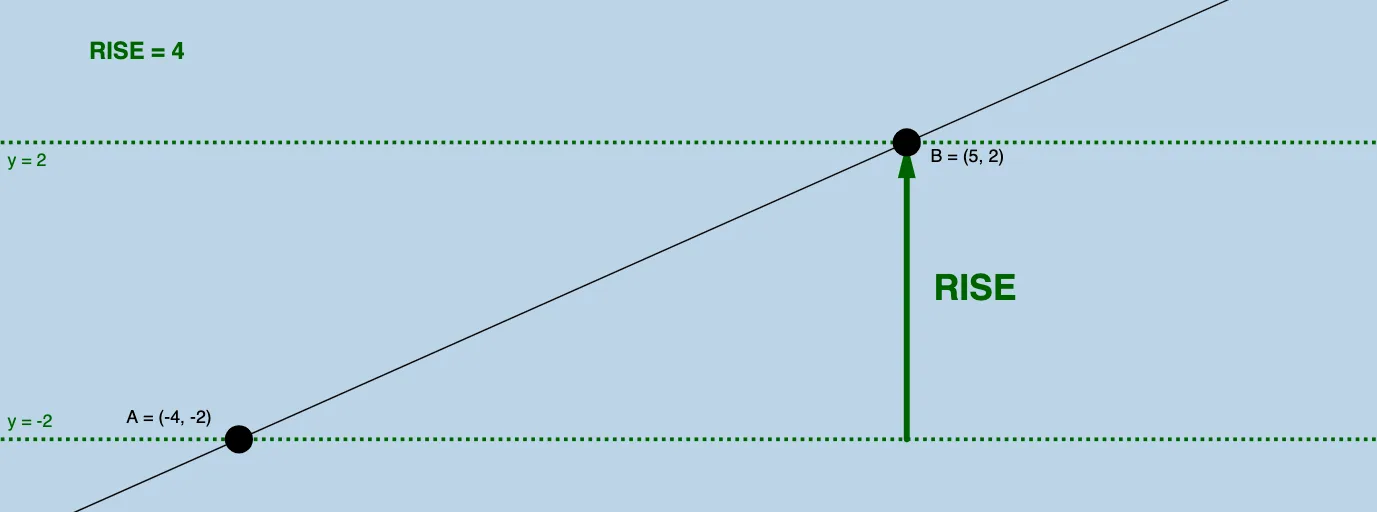
This applet helps students discover how to numerically calculate the rise and run between any two points on a line. Key math concepts include slope calculation in coordinate geometry. Construction involves using commands like Line, Intersect, Vector, Distance, etc. Suitable for middle school and above students learning about slope and linear equations.
GeoGebra Commands & Parameters
Line(A, B) → aIntersect(b, c) → CVector(A, C) → uVector(C, B) → vDistance(C, B) → distanceCBDistance(A, C) → distanceACAngle(B, C, A) → α
AI Drawing Prompt Reference
Draw a line and select two points on it. Then, draw a vector from the first point to the second and another vector from the second point to the first. Find the intersection point of these two vectors, measure both vectors and the distance from the first point to the intersection point. Finally, calculate the angle formed by the second point, the intersection point, and the first point.
The prompt above was compiled from the original drawing commands and is for reference only.