
Rhombus Property Exploration
Loading the math board and drawing, please wait…
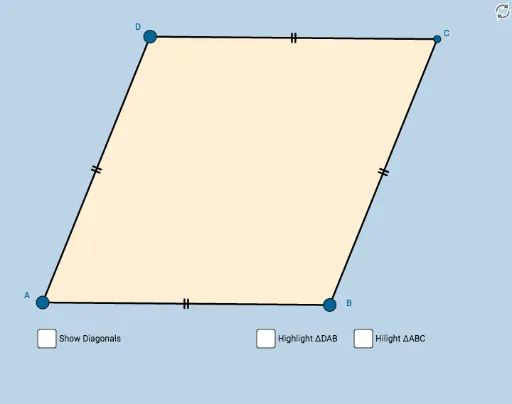
This GeoGebra applet serves as a resource for students to informally discover the properties of a rhombus. It demonstrates key characteristics such as opposite sides parallel, equal side lengths, and diagonals that are perpendicular bisectors of each other. The construction uses GeoGebra commands including Circle, Point, Intersect, Segment, Midpoint, Angle, Polygon, and Mirror to dynamically generate the rhombus shape. It is suitable for middle and high school mathematics learners, particularly those exploring parallelogram families and geometric properties through interactive visualization.
GeoGebra Commands & Parameters
Circle(A, B) → cPoint(c) → DCircle(B, A) → dCircle(D, A) → eIntersect(d, e, 2) → CSegment(A, B) → aSegment(B, C) → bSegment(C, D) → fSegment(D, A) → gMidpoint(A, C) → ESegment(D, E) → hSegment(E, B) → iSegment(C, E) → jSegment(E, A) → kAngle(D, C, E) → αAngle(E, C, B) → βAngle(B, A, E) → γAngle(E, A, D) → δAngle(C, B, E) → εAngle(E, B, A) → ζAngle(E, D, C) → ηAngle(A, D, E) → θAngle(C, E, D) → ιPolygon(A, B, C) → poly1, c_1, a_1, b_1Mirror(A, k) → A'Mirror(B, k) → B'Mirror(C, k) → C'Polygon(A', B', C') → poly1', c', a', b'Polygon(D, A, B) → poly2, b_2, d_1, a_2Mirror(D, h) → D'Mirror(A, h) → A'_1Mirror(B, h) → B'_1Polygon(D', A'_1, B'_1) → poly2', b'_1, d', a'_1Polygon(A, B, C, D) → poly3, a_3, b_3, c_2, d_2Segment(D, B) → sSegment(A, C) → t