
Interactive Definition of Regular Polygons
Loading the math board and drawing, please wait…
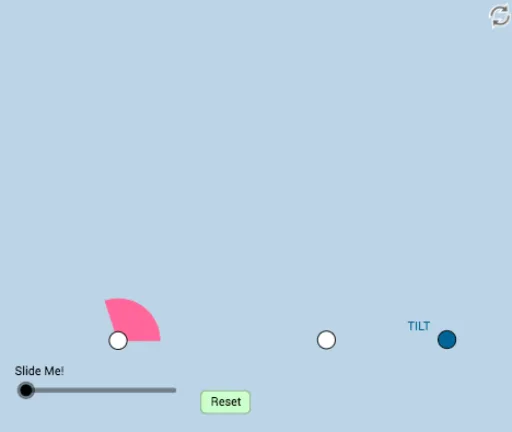
This example demonstrates the definition and properties of regular polygons. It involves core math concepts like polygons, angles, and transformations. Construction highlights include commands such as Rotate, Polygon, Vector, and Translate. Suitable for high school mathematics teaching to understand geometric properties and transformations of regular polygons.
GeoGebra Commands & Parameters
Rotate(A, 108°, B) → A'Ray(B, A') → gRay(B, A) → fPoint(f) → CSegment(C, B) → nCircle(C, n) → d_1Rotate(B, (-(108°)), C) → B'Ray(C, B') → hIntersect(d_1, h, 1) → GCircle(G, n) → e_1Point(h) → DRotate(C, (-(108°)), D) → C'Ray(D, C') → iPoint(i) → ERotate(D, (-(108°)), E) → D'Ray(E, D') → jIntersect(g, j) → FSegment(F, E) → kSegment(E, D) → lLine(G, l) → g_1Intersect(e_1, g_1, 1) → JLine(J, k) → h_1Intersect(h_1, g) → KAngle(A, B, A') → αAngle(B', C, B) → βAngle(C', D, C) → γAngle(D', E, D) → δSegment(D, C) → mSegment(B, F) → pMin(list) → aCircle(B, (0.2 * n)) → qIntersect(q, p) → H,Intersect(q, n) → I,CircleSector(B, I, H) → rDilate(B, If[0 < o ≤ 1, 1 - o, 0], C) → B'_1Vector(B, B'_1) → uTranslate(r, u) → r'Rotate(r', If[1 < o ≤ 2, (((o - 1) * 2) * π / 5), (2 * π / 5)], C) → r''Dilate(C, If[2 < o ≤ 3, 3 - o, 0], G) → C'_1Vector(C, C'_1) → vTranslate(r'', v) → r'''Rotate(r''', If[3 < o ≤ 4, (((o - 3) * 2) * π / 5), (2 * π / 5)], G) → sDilate(G, If[4 < o ≤ 5, 5 - o, 0], J) → D'_1Vector(G, D'_1) → wTranslate(s, w) → s'Rotate(s', If[5 < o ≤ 6, (((o - 5) * 2) * π / 5), (2 * π / 5)], J) → s''Dilate(J, If[6 < o ≤ 7, 7 - o, 0], K) → E'Vector(J, E') → tTranslate(s'', t) → s'''Circle(J, n) → k_1Rotate(s''', If[7 < o ≤ 8, (((o - 7) * 2) * π / 5), (2 * π / 5)], K) → c_1Segment(B, B'_1) → bSegment(C, C'_1) → cSegment(G, D'_1) → dSegment(J, E') → eDilate(K, If[8 < o ≤ 9, 9 - o, 0], B) → K'Segment(K, K') → f_1Polygon(B, C, G, J, K) → poly1, b_1, c_2, g_2, j_1, k_2Rotate(B, If[9 < o ≤ 10, ((-(o - 9)) * α), (-α)], C) → B'_2Rotate(B'_1, If[9 < o ≤ 10, ((-(o - 9)) * α), (-α)], C) → LSegment(B'_2, L) → b'Rotate(B'_2, If[10 < o ≤ 11, ((-(o - 10)) * α), (-α)], G) → MRotate(L, If[10 < o ≤ 11, ((-(o - 10)) * α), (-α)], G) → L'Segment(M, L') → b''Rotate(M, If[11 < o ≤ 12, ((-(o - 11)) * α), (-α)], J) → M'Rotate(L', If[12 < o ≤ 13, ((-(o - 12)) * α), (-α)], J) → L''Segment(M', L'') → b'''Rotate(M', If[12 < o ≤ 13, ((-(o - 12)) * α), (-α)], K) → M''Rotate(L'', If[12 < o ≤ 13, ((-(o - 12)) * α), (-α)], K) → L'''Segment(M'', L''') → i_1
AI Drawing Prompt Reference
Draw a regular pentagon by first rotating point A around B to get A', then using A' and B to create ray g, and so on, rotating and creating points C, D, E, and F. Connect these points to form the regular pentagon. Then, use point B and segment p to create circle q, and use point B and circle q to create arc r. Through a series of rotations, translations, and dilations, finally form the regular pentagon.
The prompt above was compiled from the original drawing commands and is for reference only.