
Rhombus Properties Illustrated by Tim Brzezinski
Loading the math board and drawing, please wait…
In collections
Congruence (CO) Cluster
Congruence (Vol 2)
CCSS High School: Geometry (Congruence) Volume 2
CCSS High School: Geometry (Congruence) Volume 2
CCSS High School: Geometry (Congruence) Volume 2
Geometry (Congruence) Volume 2
CCSS High School: Geometry (Congruence) Volume 2
CCSS High School: Geometry (Congruence) Volume 2
CCSS High School: Geometry (Congruence) Volume 2
CCSS High School: Geometry (Congruence) Volume 2
CCSS High School: Geometry (Congruence) Volume 2
CCSS High School: Geometry (Congruence) Volume 2
Gail LeBlancCCSS High School: Geometry (Congruence) Volume 2
CCSS High School: Geometry (Congruence) Volume 2
CCSS High School: Geometry (Congruence) Volume 2
Unit 7: Polygons and Quadrilaterals
Quadrilaterals
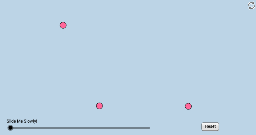
This example demonstrates the properties of a rhombus without relying on segment lengths or angle measures. Key mathematical concepts include equal sides, perpendicular and bisecting diagonals, and angle bisectors. GeoGebra commands and objects used in construction are Circle, Line, Intersect, CircleArc, Point, Segment, Min, Dilate, Angle, Rotate, CircleSector, Polygon, Vector, and Translate. Suitable for high school geometry education to visually illustrate and understand rhombus properties.
GeoGebra Commands & Parameters
Circle(B, A) → fCircle(A, B) → cLine(A, B) → bIntersect(c, b, 2) → CCircleArc(A, B, C) → dPoint(d) → DSegment(D, B) → sCircle(D, A) → eIntersect(e, f, 2) → ESegment(A, E) → nIntersect(n, s) → LSegment(A, B) → aSegment(A, D) → gSegment(D, E) → hSegment(E, B) → iMin(g, h) → jDilate(B, If[0 < l ≤ 1, 1 - l, 0], A) → B'Segment(B, B') → mAngle(E, B, A) → αAngle(D, E, B) → βRotate(B, If[1 < l ≤ 2, ((-(l - 1)) * α), α], B) → B'_1Rotate(B', If[1 < l ≤ 2, ((-(l - 1)) * α), (-α)], B) → B''Segment(B'_1, B'') → m'Rotate(B'_1, If[2 < l ≤ 3, ((-(l - 2)) * β), (-β)], E) → JRotate(B'', If[2 < l ≤ 3, ((-(l - 2)) * β), (-β)], E) → B'''Segment(J, B''') → m''Rotate(J, If[3 < l ≤ 4, ((-(l - 3)) * α), (-α)], D) → J'Rotate(B''', If[3 < l ≤ 4, ((-(l - 3)) * α), (-α)], D) → KSegment(J', K) → m'''Circle(B, (0.2 * j)) → kCircle(E, (0.2 * j)) → pIntersect(p, m'', 1) → FIntersect(p, m', 1) → GIntersect(k, m', 1) → HIntersect(k, m, 1) → ICircleSector(B, H, I) → qCircleSector(E, F, G) → rPolygon(A, B, E, D) → poly1, a_1, b_1, e_1, d_1Dilate(B, If[5 < l ≤ 6, 6 - l, 0], D) → B'_2Vector(B, B'_2) → uTranslate(q, u) → q'Rotate(q', If[6 < l ≤ 7, ((l - 6) * π), 3.141592653589793], D) → q''Dilate(E, If[7 < l ≤ 8, 8 - l, 0], A) → E'Vector(E, E') → vTranslate(r, v) → r'Rotate(r', If[8 < l ≤ 9, ((-(l - 8)) * π), -3.141592653589793], A) → r''Dilate(D, If[9 < l ≤ 10, 10 - l, 0], L) → D'Vector(D, D') → wMin(n / 2, s / 2) → oCircle(L, (0.2 * o)) → tIntersect(t, s, 2) → MIntersect(t, n, 2) → NCircleSector(L, M, N) → c_1Segment(D, D') → f_1Dilate(L, If[10 < l ≤ 11, 11 - l, 0], B) → L'Circle(D, (0.2 * j)) → h_1Intersect(k, s) → P,Intersect(s, f_1) → QIntersect(h_1, s, 1) → OCircle(A, (0.2 * j)) → k_1Intersect(k_1, m, 1) → RIntersect(k_1, n, 1) → SIntersect(k_1, m''', 1) → TIntersect(h_1, m'', 1) → UCircleSector(D, O, U) → q_1Dilate(A, If[11 < l ≤ 12, 12 - l, 0], L) → A'Segment(A, A') → i_1Dilate(L, If[12 < l ≤ 13, 13 - l, 0], E) → L'_1Segment(L, L'_1) → j_1Intersect(p, m'', 1) → VIntersect(p, n, 1) → WCircleSector(A, S, T) → s_1CircleSector(B, P, I) → p_1Intersect(p, m', 1) → ZCircleSector(E, W, Z) → r_1Segment(L, L') → g_1Rotate(L, If[13 < l ≤ 14, ((-(l - 13)) * π), -3.141592653589793], L) → L'_2Rotate(L', If[13 < l ≤ 14, ((-(l - 13)) * π), -3.141592653589793], L) → L''Segment(L'_2, L'') → l_1Rotate(L, If[14 < l ≤ 15, ((-(l - 14)) * π), 3.141592653589793], L) → L'_3Rotate(L'_1, If[14 < l ≤ 15, ((-(l - 14)) * π), 3.141592653589793], L) → A_1Segment(L'_3, A_1) → m_1Rotate(q_1, If[15 < l ≤ 16, ((-(l - 15)) * α / 2), ((-α)) / 2], D) → t_1Rotate(p_1, If[15 < l ≤ 16, ((-(l - 15)) * α / 2), ((-α)) / 2], B) → c_2Rotate(s_1, If[16 < l ≤ 17, ((-(l - 16)) * β / 2), ((-β)) / 2], A) → d_2Rotate(r_1, If[16 < l ≤ 17, ((-(l - 16)) * β / 2), ((-β)) / 2], E) → e_2Rotate(c_1, If[17 < l ≤ 18, ((l - 17) * π / 2), 1.5707963267948966], L) → f_2
AI Drawing Prompt Reference
Draw a rhombus with four equal sides, two perpendicular and bisecting diagonals, and angle bisectors. Start by drawing two circles to determine the vertices of the rhombus, then connect these vertices to form the rhombus. Next, draw the diagonals, ensuring they are perpendicular and bisect each other. Finally, draw the angle bisectors, making sure they intersect the diagonals.
The prompt above was compiled from the original drawing commands and is for reference only.