
Rhombus Measurement and Properties by matthew.hardie
Loading the math board and drawing, please wait…
In collections
Quadrilateral Investigation
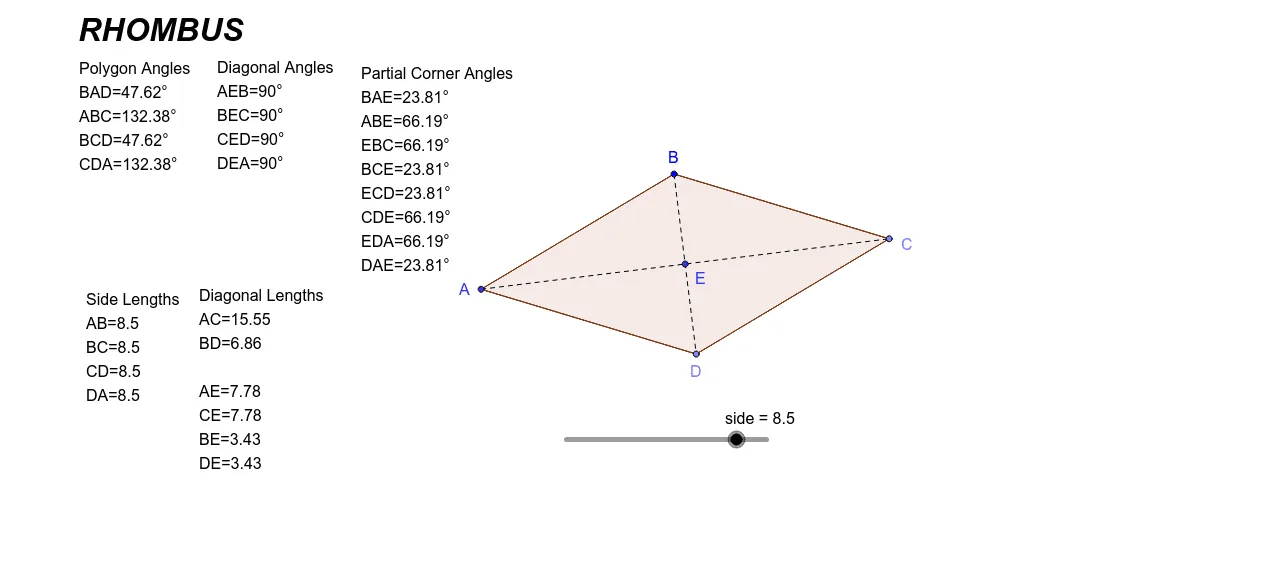
This example demonstrates the relationships between the sides, angles, and diagonals of a rhombus. It involves core mathematical concepts such as geometric construction, distance measurement, angle calculation, polygon properties, and equation solving. Key GeoGebra commands used include Point, Segment, Circle, Intersect, Distance, Angle, and Polygon for point placement, line segment drawing, intersection calculation, distance and angle measurement, and polygon construction. Suitable for middle school and above students to understand the geometric properties of rhombuses and explore their inherent patterns.
GeoGebra Commands & Parameters
Point(Circle[B, abs(side)]) → CSegment(B, C) → aPoint(Circle[C, abs(side)]) → DSegment(C, D) → bCircle(B, side) → cCircle(D, side) → dIntersect(c, d, 2) → ASegment(B, A) → eSegment(A, D) → fSegment(A, C) → gSegment(B, D) → hIntersect(h, g) → EDistance(A, B) → distanceABDistance(B, C) → distanceBCDistance(C, D) → distanceCDDistance(D, A) → distanceDADistance(A, C) → distanceACDistance(B, D) → distanceBDDistance(A, E) → distanceAEDistance(C, E) → distanceCEDistance(B, E) → distanceBEDistance(D, E) → distanceDEAngle(D, A, B) → αAngle(A, B, C) → βAngle(B, C, D) → γAngle(C, D, A) → δAngle(B, E, A) → εAngle(C, E, B) → ζAngle(D, E, C) → ηAngle(A, E, D) → θAngle(E, A, B) → ιAngle(A, B, E) → κAngle(E, B, C) → λAngle(B, C, E) → μAngle(E, C, D) → νAngle(C, D, E) → ξAngle(E, D, A) → οAngle(D, A, E) → ρPolygon(A, B, C, D) → poly1, a_1, b_1, c_1, d_1
AI Drawing Prompt Reference
Draw a rhombus by creating circles with centers B and D, finding their intersection points A and C, and connecting these points. Measure the lengths of the sides and diagonals, and calculate the angles.
The prompt above was compiled from the original drawing commands and is for reference only.