
Rhombus Maker by Melanie Palma
Loading the math board and drawing, please wait…
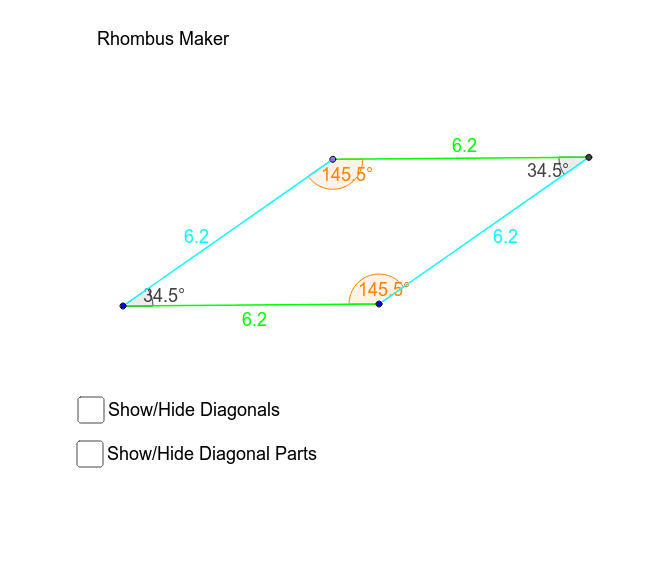
This example demonstrates how to create a rhombus using GeoGebra. Key mathematical concepts include geometric construction and vectors. Commands such as Line, Segment, Circle, OrthogonalLine, and Intersect are used to construct the sides and diagonals of the rhombus. Suitable for middle school and above students to learn about the properties of rhombuses and geometric construction.
GeoGebra Commands & Parameters
Line(P, A) → aLine(E, a) → bSegment(A, P) → gLine(L, O) → iCircle(L, O) → kOrthogonalLine(P, a) → cIntersect(b, c) → COrthogonalLine(A, g) → dIntersect(b, d) → DSegment(C, D) → eSegment(A, D) → fSegment(P, C) → hAngle(A, P, C) → αAngle(P, A, D) → βAngle(A, D, C) → γAngle(D, C, P) → δCircle(O, L) → pPoint(p) → BLine(B, i) → jLine(O, B) → lLine(L, l) → mIntersect(j, m) → FSegment(O, B) → nSegment(L, F) → rSegment(B, F) → sSegment(O, L) → qAngle(O, B, F) → εAngle(F, L, O) → ζAngle(B, F, L) → ηAngle(B, O, L) → θSegment(B, L) → diag_1Segment(F, O) → diag_2Intersect(diag_1, diag_2) → GSegment(F, G) → diag_2aSegment(G, O) → diag_2bSegment(B, G) → diag_1aSegment(L, G) → diag_1bAngle(F, G, L) → diag_angle
AI Drawing Prompt Reference
Draw a rhombus using points A, P, E, and L as starting points. Construct lines, segments, circles, and perpendicular lines to determine the vertices C, D, B, and F. Then, use intersection points to define the diagonals and complete the rhombus.
The prompt above was compiled from the original drawing commands and is for reference only.