
Rhombus Lesson Example
Loading the math board and drawing, please wait…
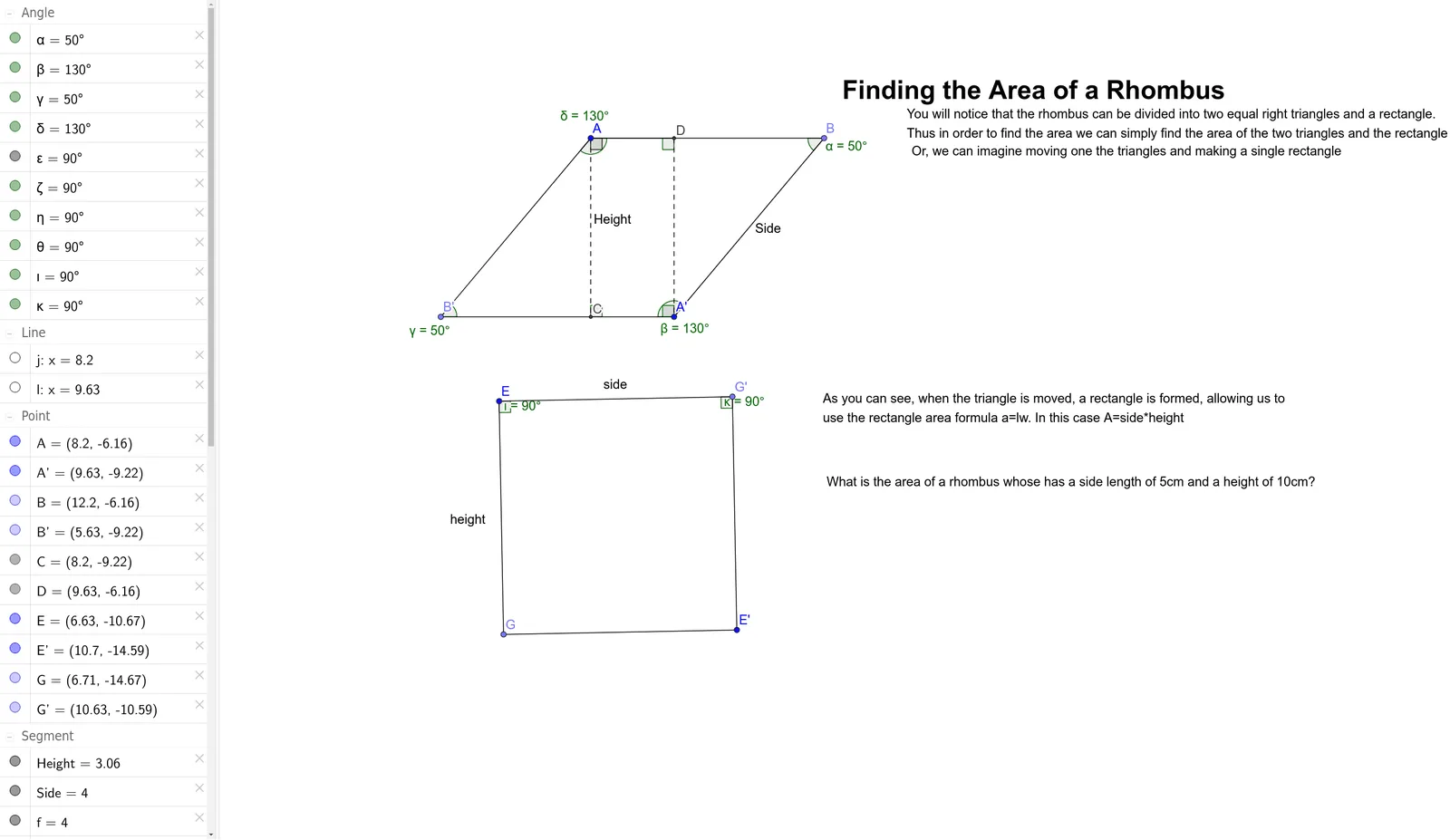
This example demonstrates the geometric properties and construction methods of a rhombus. Key math concepts include polygons, vectors, angles, and geometric transformations. Construction highlights involve commands like Point, Segment, Rotate, Angle, OrthogonalLine, and Intersect from GeoGebra. Suitable for middle school and above students to understand symmetry, area calculation, and vector applications.
GeoGebra Commands & Parameters
Point(Circle[A, 4]) → BSegment(A, B) → fRotate(A, 50°, B) → A'Angle(A, B, A') → αSegment(A', B) → SideRotate(B, 130°, A') → B'Angle(B, A', B') → βSegment(B', A') → hSegment(B', A) → iOrthogonalLine(A, h) → jIntersect(j, h) → CSegment(A, C) → HeightOrthogonalLine(A', f) → lIntersect(l, f) → DSegment(D, A') → mAngle(C, B', A) → γAngle(B', A, B) → δAngle(C, A, D) → εAngle(D, A', C) → ζAngle(A, D, A') → ηAngle(A', C, A) → θPoint(Circle[E, 4]) → GSegment(E, G) → heightRotate(G, 90°, E) → G'Angle(G, E, G') → ιSegment(E, G') → sideRotate(E, 90°, G') → E'Angle(E, G', E') → κSegment(G', E') → nSegment(E', G) → pSegment(A, D) → g
AI Drawing Prompt Reference
Draw a rhombus. Start with a base segment, rotate one endpoint around the other by a fixed angle to create a side, then rotate the base endpoint around the new point to form the opposite side, and connect the endpoints to complete the rhombus. From one vertex, draw a perpendicular line to the opposite side, marking the foot as the height; from an adjacent vertex, draw another perpendicular to a different side. Label all interior angles of the rhombus. Separately, draw a square to the right: begin with one side, then rotate each endpoint by 90 degrees successively to construct the remaining three sides, and mark the right angles.
The prompt above was compiled from the original drawing commands and is for reference only.