
Rhombus Construction by Doug Carragher
Loading the math board and drawing, please wait…
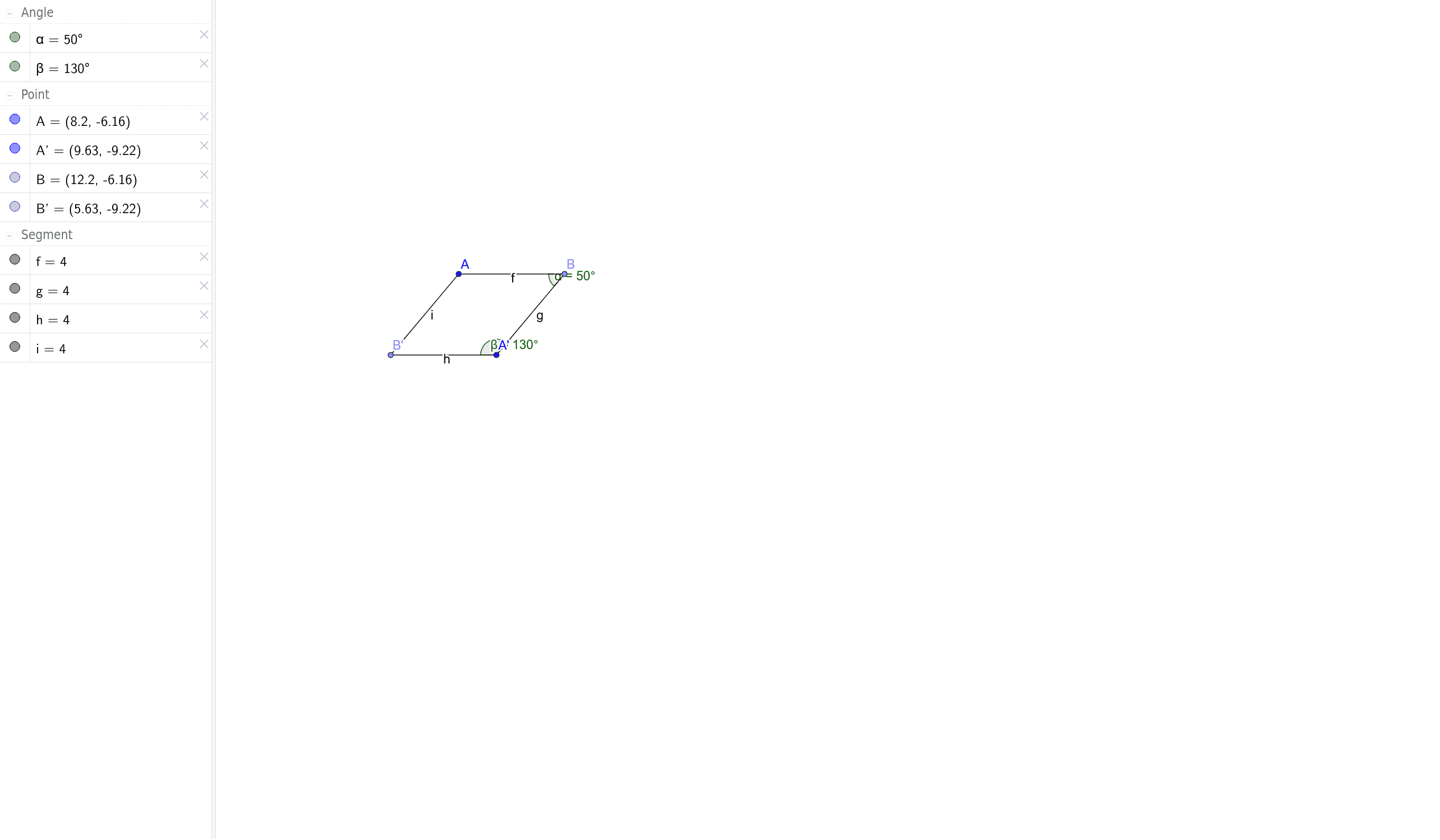
This example demonstrates how to construct a rhombus and its related properties using GeoGebra. Key math concepts include polygons, angles, rotation, and geometric construction. The construction involves commands/objects like Point, Segment, Rotate, and Angle. Suitable for high school mathematics teaching or beginners in geometry.
GeoGebra Commands & Parameters
Point(Circle[A, 4]) → BSegment(A, B) → fRotate(A, 50°, B) → A'Angle(A, B, A') → αSegment(A', B) → gRotate(B, 130°, A') → B'Angle(B, A', B') → βSegment(B', A') → hSegment(B', A) → i
AI Drawing Prompt Reference
Draw a rhombus by first taking point B on a circle and connecting points A and B to form side f. Then rotate point A 50 degrees counterclockwise around point B to get point A', and calculate angle ∠A. Next, connect points B and A' to form side g. Rotate point B 130 degrees counterclockwise around point A' to get point B', and calculate angle ∠B. Finally, connect points B' and A' and points B' and A to form the other two sides h and i of the rhombus.
The prompt above was compiled from the original drawing commands and is for reference only.