
Rhombus Investigation Template
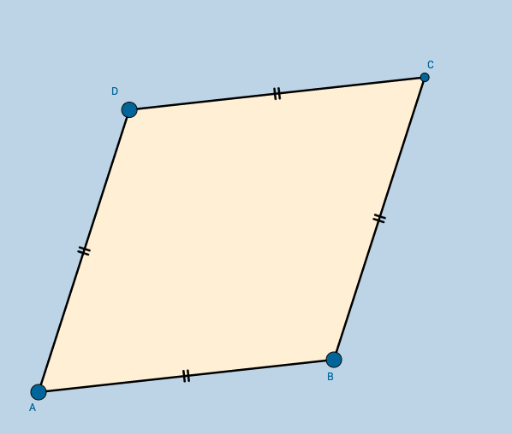
Loading the math board and drawing, please wait…
In collections
Congruence (CO) Cluster
CCSS High School: Geometry (Congruence) Volume 2
CCSS High School: Geometry (Congruence) Volume 2
CCSS High School: Geometry (Congruence) Volume 2
CCSS High School: Geometry (Congruence) Volume 2
Unit 7: Polygons and Quadrilaterals
Quadrilaterals
This example demonstrates a rhombus with embedded investigation questions, focusing on geometric properties and discovery learning. Key math concepts include parallelogram characteristics, rhombus diagonals, and coordinate geometry construction. It utilizes GeoGebra commands like Circle, Point, Intersect, Segment, and Polygon to create the shape for exploration. Suitable for middle school and above, ideal for interactive geometry lessons and concept reinforcement.
GeoGebra Commands & Parameters
Circle(A, B) → cPoint(c) → DCircle(B, A) → dCircle(D, A) → eIntersect(d, e, 2) → CSegment(A, B) → aSegment(B, C) → bSegment(C, D) → fSegment(D, A) → gPolygon(A, B, C, D) → poly1, a_1, b_1, c_1, d_1
AI Drawing Prompt Reference
Draw a rhombus by intersecting two circles, connecting the intersection points to form the shape, and highlighting the diagonals that are perpendicular bisectors of each other.
The prompt above was compiled from the original drawing commands and is for reference only.